Removing and Installing Parts 81
CAUTION: Some network adapters automatically start the computer when they
are connected to a network. To guard against electrical shock, be sure to unplug
your computer from its electrical outlet before installing any cards.
8
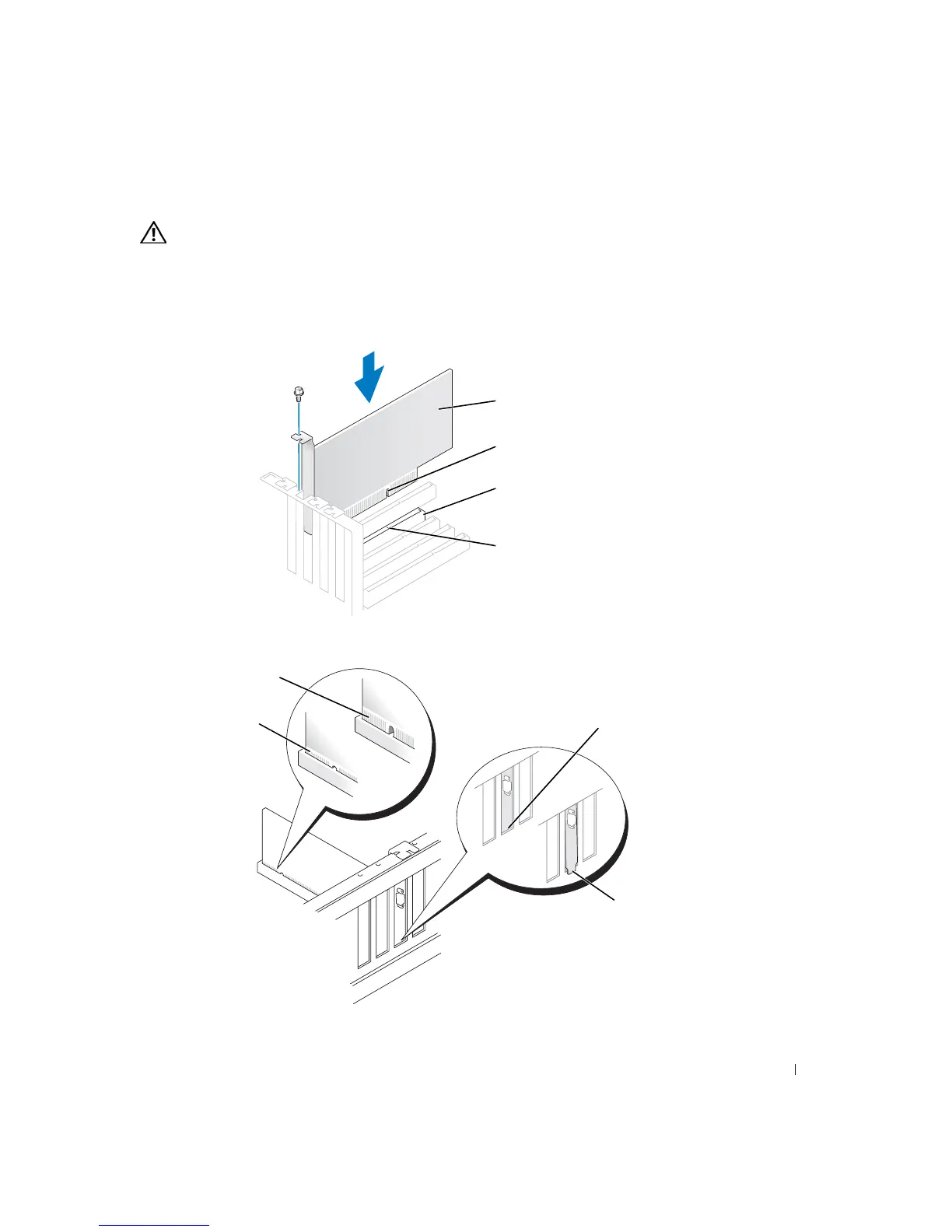
Align the cutout on the bottom of the card with the crossbar in the system board
connector. Gently rock the card into the connector until it is fully seated.
Ensure that the card is fully seated and that its bracket is within the card slot.
card cutout
card
card connector
on system board
crossbar
fully seated card
not fully seated card
bracket caught
outside of slot
bracket
within slot













 To Next Page