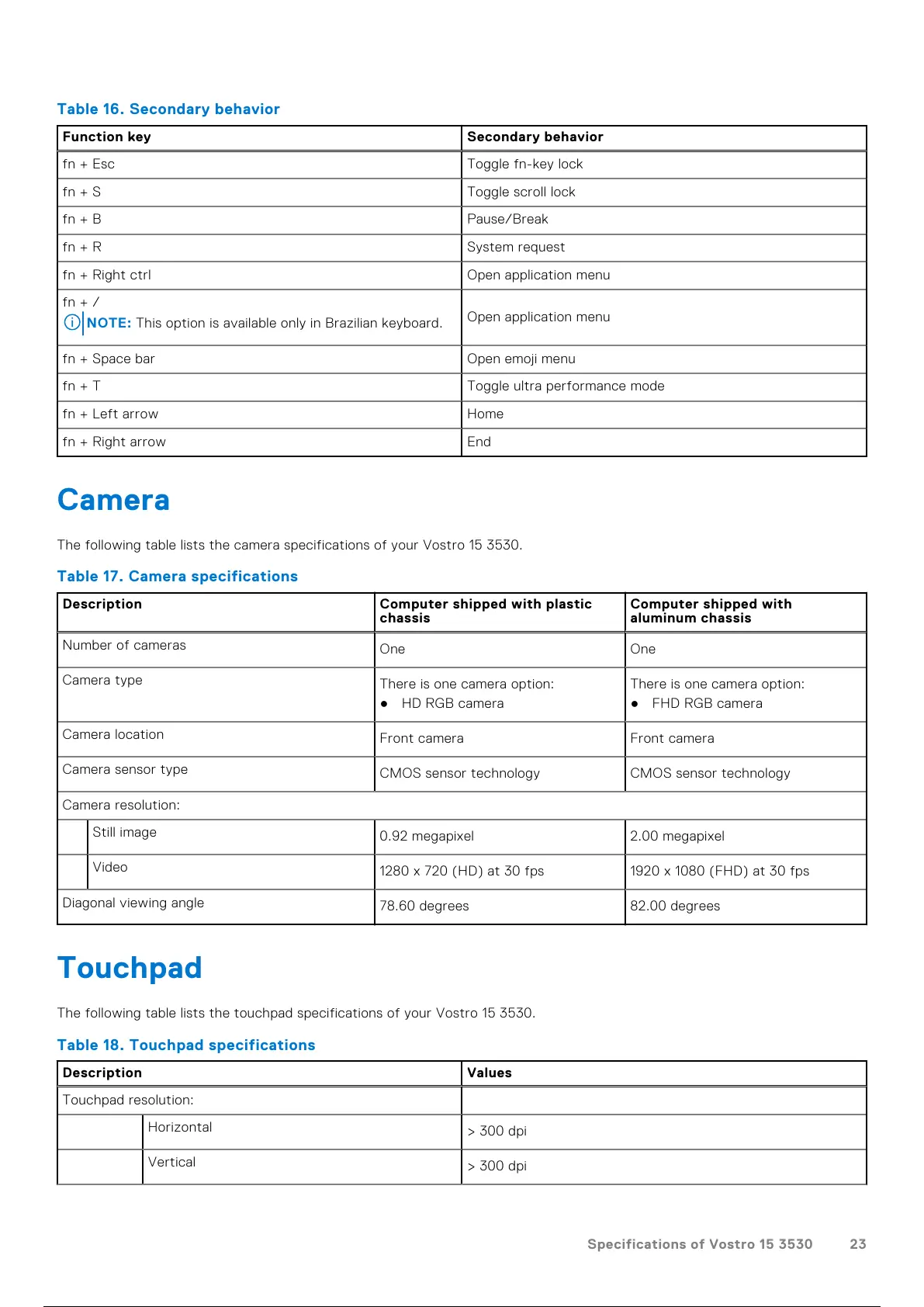
Table 16. Secondary behavior
Function key Secondary behavior
fn + Esc Toggle fn-key lock
fn + S Toggle scroll lock
fn + B Pause/Break
fn + R System request
fn + Right ctrl Open application menu
fn + /
NOTE: This option is available only in Brazilian keyboard.
Open application menu
fn + Space bar Open emoji menu
fn + T Toggle ultra performance mode
fn + Left arrow Home
fn + Right arrow End
Camera
The following table lists the camera specifications of your Vostro 15 3530.
Table 17. Camera specifications
Description Computer shipped with plastic
chassis
Computer shipped with
aluminum chassis
Number of cameras
One One
Camera type
There is one camera option:
● HD RGB camera
There is one camera option:
● FHD RGB camera
Camera location
Front camera Front camera
Camera sensor type
CMOS sensor technology CMOS sensor technology
Camera resolution:
Still image
0.92 megapixel 2.00 megapixel
Video
1280 x 720 (HD) at 30 fps 1920 x 1080 (FHD) at 30 fps
Diagonal viewing angle
78.60 degrees 82.00 degrees
Touchpad
The following table lists the touchpad specifications of your Vostro 15 3530.
Table 18. Touchpad specifications
Description Values
Touchpad resolution:
Horizontal
> 300 dpi
Vertical
> 300 dpi
Specifications of Vostro 15 3530 23
24 / 136 23 / 134 24 / 136



 To Next Page