Speakers
Removing the speakers
Prerequisites
1. Follow the procedure in Before working inside your computer.
2. Remove the base cover.
About this task
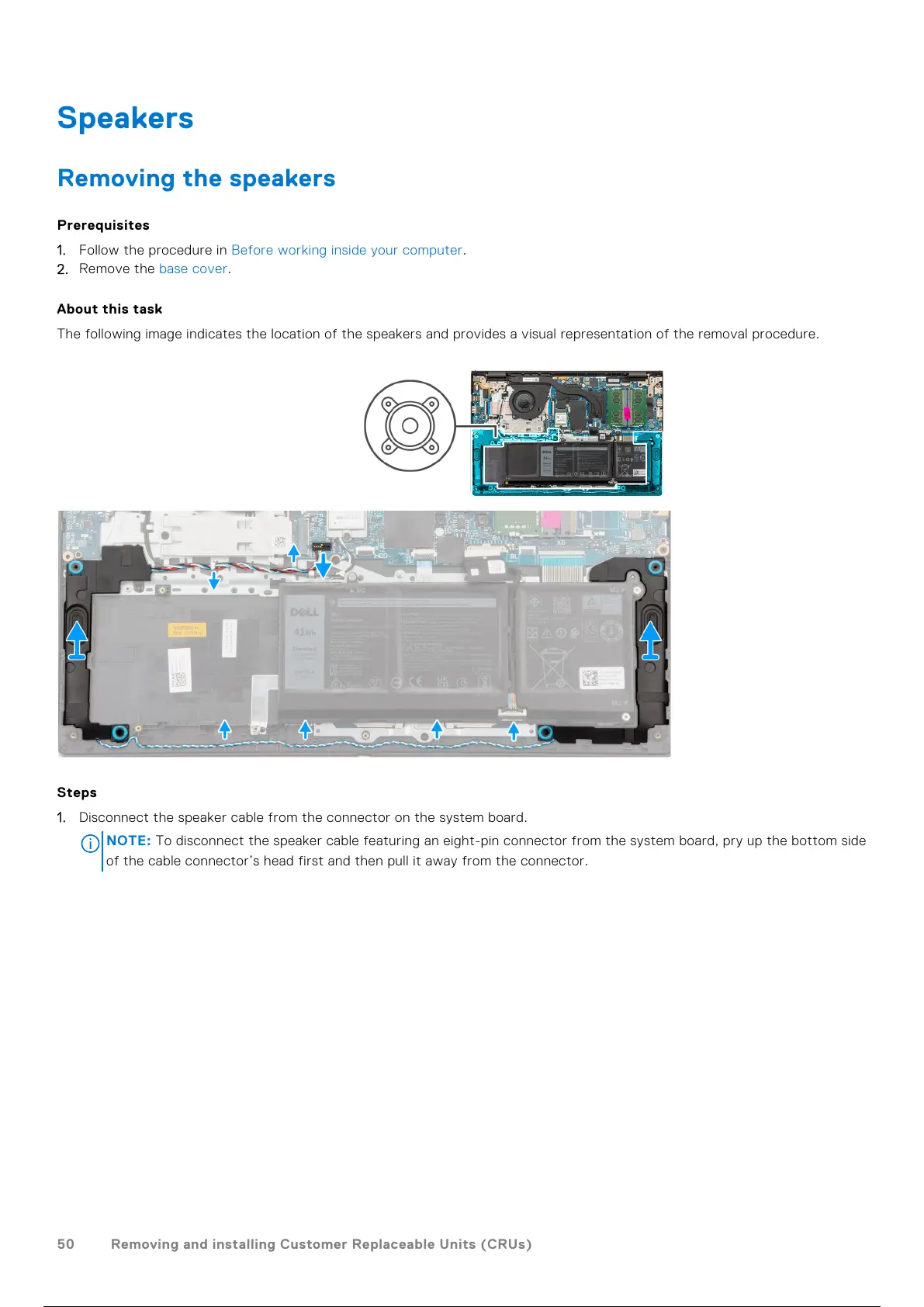
The following image indicates the location of the speakers and provides a visual representation of the removal procedure.
Steps
1. Disconnect the speaker cable from the connector on the system board.
NOTE:
To disconnect the speaker cable featuring an eight-pin connector from the system board, pry up the bottom side
of the cable connector’s head first and then pull it away from the connector.
50 Removing and installing Customer Replaceable Units (CRUs)
51 / 136 50 / 134 51 / 136



 To Next Page