Steps
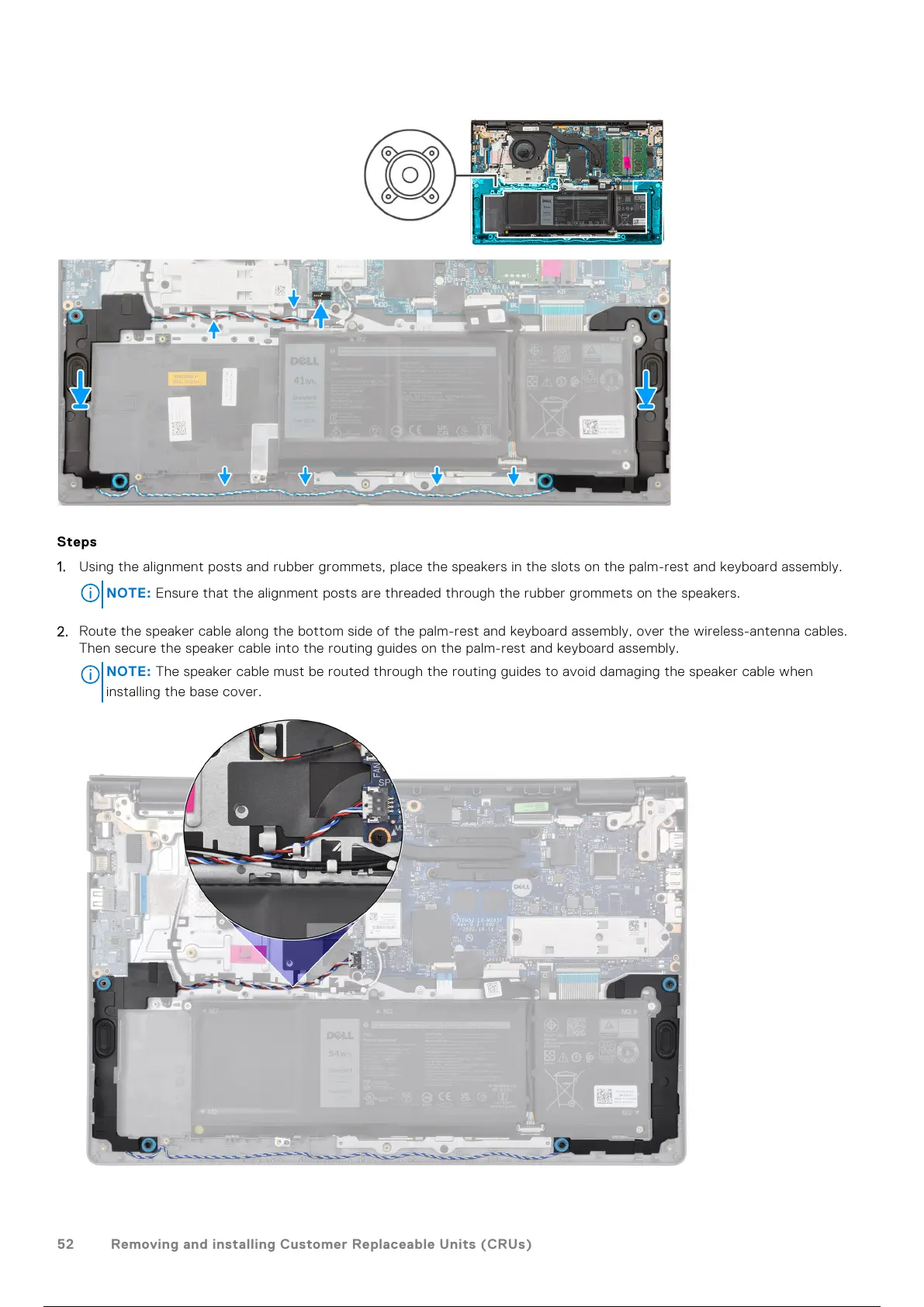
1. Using the alignment posts and rubber grommets, place the speakers in the slots on the palm-rest and keyboard assembly.
NOTE: Ensure that the alignment posts are threaded through the rubber grommets on the speakers.
2. Route the speaker cable along the bottom side of the palm-rest and keyboard assembly, over the wireless-antenna cables.
Then secure the speaker cable into the routing guides on the palm-rest and keyboard assembly.
NOTE:
The speaker cable must be routed through the routing guides to avoid damaging the speaker cable when
installing the base cover.
52 Removing and installing Customer Replaceable Units (CRUs)
53 / 136 52 / 134 53 / 136



 To Next Page