Steps
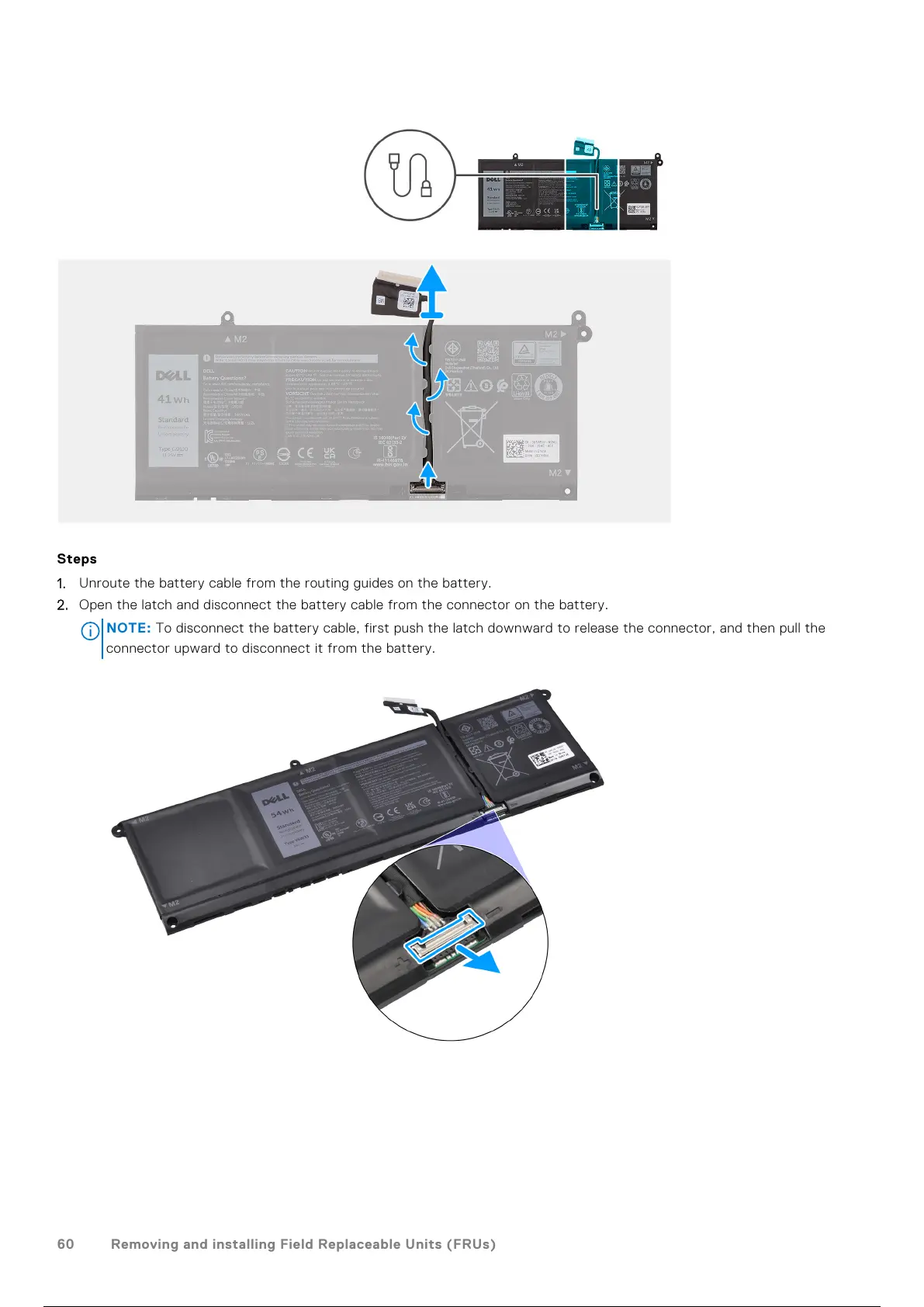
1. Unroute the battery cable from the routing guides on the battery.
2. Open the latch and disconnect the battery cable from the connector on the battery.
NOTE:
To disconnect the battery cable, first push the latch downward to release the connector, and then pull the
connector upward to disconnect it from the battery.
60 Removing and installing Field Replaceable Units (FRUs)
61 / 136 60 / 134 61 / 136



 To Next Page