Steps
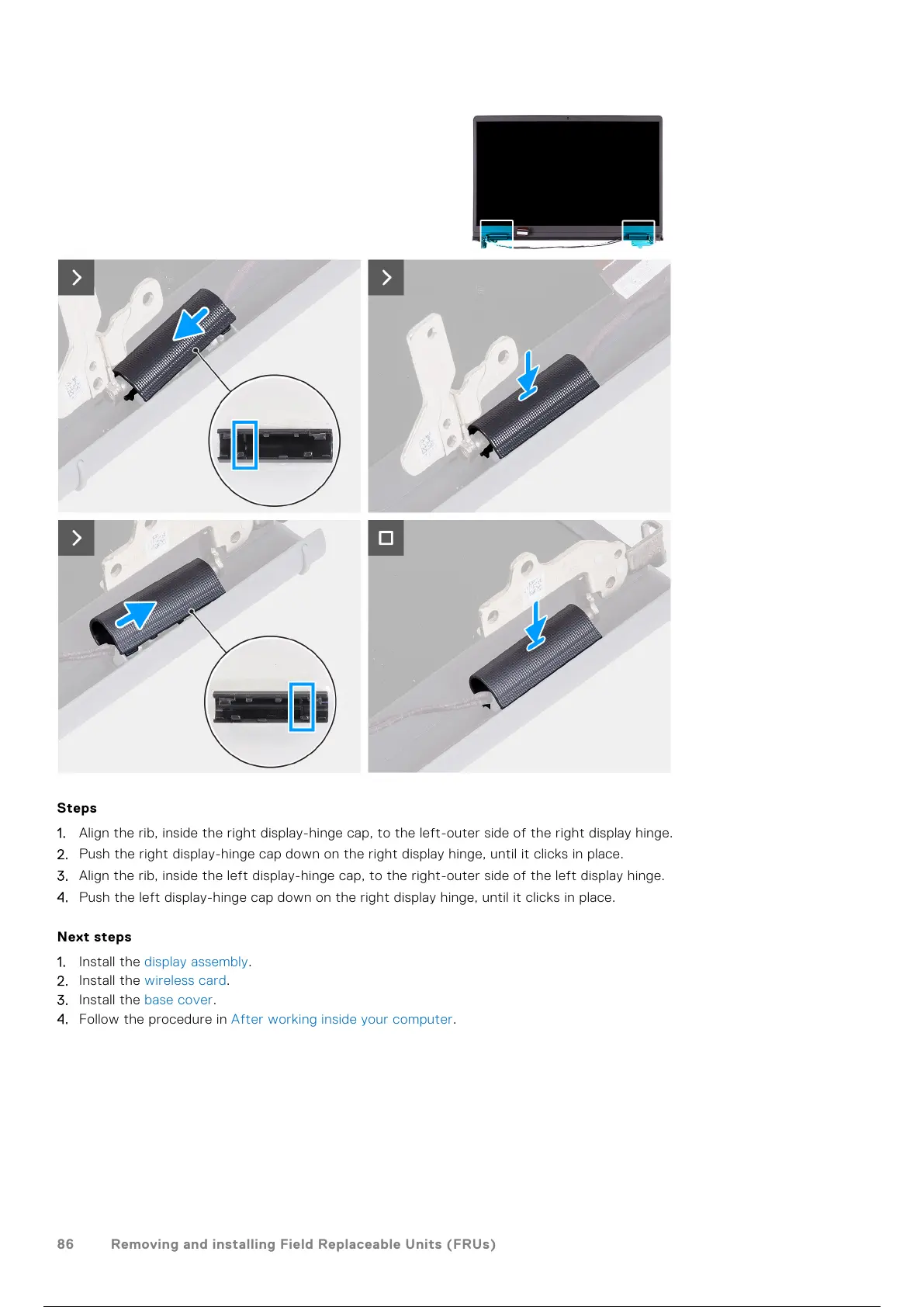
1. Align the rib, inside the right display-hinge cap, to the left-outer side of the right display hinge.
2. Push the right display-hinge cap down on the right display hinge, until it clicks in place.
3. Align the rib, inside the left display-hinge cap, to the right-outer side of the left display hinge.
4. Push the left display-hinge cap down on the right display hinge, until it clicks in place.
Next steps
1. Install the display assembly.
2. Install the wireless card.
3. Install the base cover.
4. Follow the procedure in After working inside your computer.
86
Removing and installing Field Replaceable Units (FRUs)
87 / 136 86 / 134 87 / 136



 To Next Page