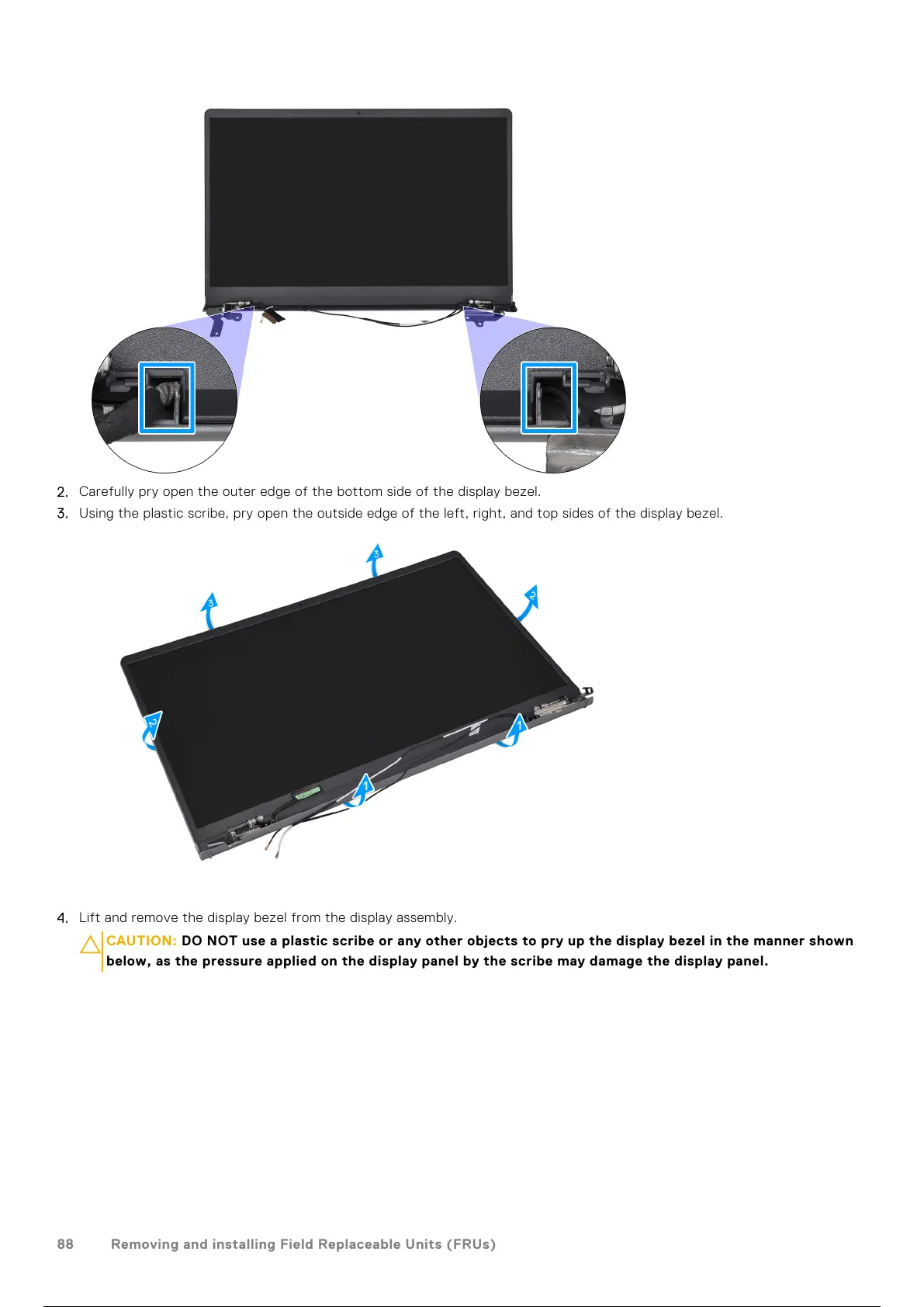
2. Carefully pry open the outer edge of the bottom side of the display bezel.
3. Using the plastic scribe, pry open the outside edge of the left, right, and top sides of the display bezel.
4. Lift and remove the display bezel from the display assembly.
CAUTION:
DO NOT use a plastic scribe or any other objects to pry up the display bezel in the manner shown
below, as the pressure applied on the display panel by the scribe may damage the display panel.
88 Removing and installing Field Replaceable Units (FRUs)
89 / 136 88 / 134 89 / 136



 To Next Page