EasyManua.ls Logo

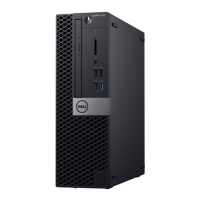
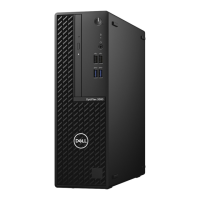
Dell OptiPlex 3080 Small Form Factor - User Manual

Dell OptiPlex 3080 Small Form Factor
95 pages
Print Icon
To Next Page IconTo Next Page
Loading...
OptiPlex 3080 Small Form Factor
Service Manual
Regulatory Model: D15S
Regulatory Type: D15S002
December 2022
Rev. A04

Table of Contents

Other manuals for Dell OptiPlex 3080 Small Form Factor

Questions and Answers

  • A
    ashleycervantesAug 31, 2025
    What causes power rail failure on Dell OptiPlex 3080 Small Form Factor Desktop?
    • L
      Lauren BensonAug 31, 2025
      If your Dell Desktop experiences a power rail failure, it means that EC ran into power sequencing failure. If the problem persists, replace the system board.
  • T
    tnguyenAug 25, 2025
    What to do if Dell OptiPlex 3080 Small Form Factor Desktop shows bad command or file name?
    • M
      Miss Rhonda Powell MDAug 25, 2025
      If your Dell Desktop shows 'BAD COMMAND OR FILE NAME', make sure that you have spelled the command correctly, put spaces in the proper place, and used the correct path name.
  • N
    nelliottAug 25, 2025
    Why does my Dell OptiPlex 3080 Small Form Factor Desktop say time-of-day clock lost power?
    • M
      Mark MatthewsAug 26, 2025
      If your Dell Desktop displays 'TIME-OF-DAY CLOCK LOST POWER', connect your computer to an electrical outlet to charge the battery. If the problem persists, try to restore the data by entering the System Setup program, then immediately exit the program.
  • S
    Sandra LeAug 26, 2025
    How to fix CPU failure on Dell OptiPlex 3080 Small Form Factor?
    • T
      thollandAug 26, 2025
      If you encounter a CPU failure on your Dell Desktop, run the Intel CPU diagnostics tools. If the problem persists, replace the system board.
  • L
    lopezamberAug 27, 2025
    What to do if Disk C failed initialization on Dell OptiPlex 3080 Small Form Factor?
    • C
      Cheryl BlakeAug 27, 2025
      If your Dell Desktop shows 'DISK C: FAILED INITIALIZATION', run the hard drive tests in Dell Diagnostics.
  • J
    Jeffrey DavisAug 27, 2025
    How to fix system board failure on Dell OptiPlex 3080 Small Form Factor?
    • S
      simmonskristinAug 27, 2025
      If your Dell Desktop experiences a system board failure (including BIOS corruption or ROM error), flash the latest BIOS version. If the problem persists, replace the system board.
  • M
    Mark HensleyAug 28, 2025
    How to fix memory/RAM failure on Dell Desktop?
    • L
      Louis TorresAug 28, 2025
      If your Dell Desktop experiences a memory/RAM failure, reset the memory module. If the problem persists, replace the memory module.
  • H
    hendersonedwardAug 29, 2025
    How to fix CMOS battery failure on Dell OptiPlex 3080 Small Form Factor Desktop?
    • M
      mreyesAug 29, 2025
      If your Dell Desktop experiences a CMOS battery failure, reset the CMOS battery connection. If the problem persists, replace the RTS battery.
  • M
    Mario NormanAug 29, 2025
    What to do if BIOS recovery image not found on Dell Desktop?
    • J
      Jason JohnsonAug 29, 2025
      If the BIOS Recovery image is not found on your Dell Desktop, flash the latest BIOS version. If the problem persists, replace the system board.
  • J
    Joanna MitchellAug 30, 2025
    What to do if BIOS recovery image found but invalid on Dell Desktop?
    • W
      wardanneAug 30, 2025
      If the BIOS Recovery image found is invalid on your Dell Desktop, flash the latest BIOS version. If the problem persists, replace the system board.

Summary

Working on your computer

Safety Instructions and Precautions

Covers general safety, before working, ESD protection, and warnings.

ESD Field Service Kit

Details components and usage of the ESD protection kit for safe handling.

Post-Work Procedures

Steps to follow after completing internal computer work, including reassembly.

Major Components of Your System

System Component Identification

Identifies and lists key computer hardware components shown in diagrams.

Technology and Components

Graphics Options

Details specifications of various graphics cards available in the system.

System Management Features

Overview of system management capabilities and Dell's management suite.

Field Service Information

Tools and Component Identification

Lists essential tools, screws, and identifies major computer parts for service.

Chassis and Bezel Service

Procedures for removing side cover and front bezel for access.

Storage Devices Service

Covers HDD, SSD, and optical drive replacement procedures.

Memory, Processor, and Thermal Service

Procedures for memory modules, processor, and heat sink replacement.

System Board and Power Supply Service

Procedures for system board and power supply replacement.

Connectivity and Expansion Components Service

Covers WLAN card, expansion cards, and optional I/O modules.

BIOS Setup

BIOS Navigation and Access

Guides on accessing, navigating, and basic overview of BIOS.

System Configuration and Management

Covers setup options, updates, passwords, and CMOS reset.

Troubleshooting

Hardware Diagnostics and Status

Guide for running diagnostics and understanding LED status.

Error Message Interpretation

Lists and explains diagnostic and system error messages.

System Recovery and Maintenance

Procedures for OS recovery, backup, and WiFi troubleshooting.

Getting Help

Contacting Dell Support

Information on how to contact Dell for assistance with sales or technical issues.

Dell OptiPlex 3080 Small Form Factor Specifications

General IconGeneral
BrandDell
ModelOptiPlex 3080 Small Form Factor
CategoryDesktop
LanguageEnglish

Related product manuals