EasyManua.ls Logo

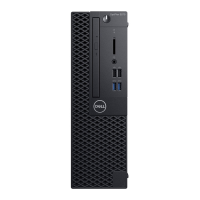
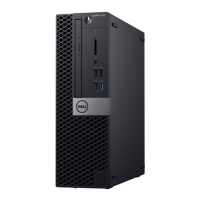
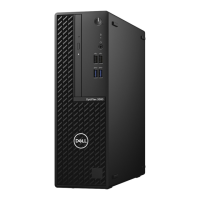
Dell OptiPlex 3080 Small Form Factor - User Manual

Dell OptiPlex 3080 Small Form Factor
95 pages
Print Icon
To Next Page IconTo Next Page
Loading...
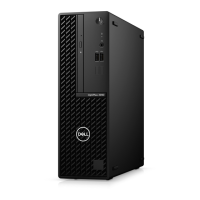
OptiPlex 3080 Small Form Factor
Service Manual
Regulatory Model: D15S
Regulatory Type: D15S002
December 2022
Rev. A04

Table of Contents

Other manuals for Dell OptiPlex 3080 Small Form Factor

Questions and Answers

  • M
    Michelle FieldsAug 23, 2025
    Why is available memory decreasing on my Dell Desktop?
    • T
      Timothy RoseAug 25, 2025
      If your Dell Desktop displays 'DECREASING AVAILABLE MEMORY', one or more memory modules may be faulty or improperly seated. Try reinstalling the memory modules or, if necessary, replace them.
  • K
    Kent CarterSep 1, 2025
    What to do if auxiliary device failure on Dell OptiPlex 3080 Small Form Factor?
    • W
      William FloresSep 1, 2025
      If your Dell Desktop experiences an auxiliary device failure, the touchpad or external mouse may be faulty. For an external mouse, check the cable connection. Enable the Pointing Device option in the System Setup program.
  • M
    Mary LittleSep 1, 2025
    What does no timer tick interrupt mean on Dell Desktop?
    • C
      Christy GreenSep 2, 2025
      If your Dell Desktop shows 'No timer tick interrupt', a chip on the system board may be malfunctioning. Run the System Set tests in Dell Diagnostics.
  • T
    Tyler WatsonSep 2, 2025
    What to do if my Dell OptiPlex 3080 Small Form Factor Desktop says 'No Boot Device Available'?
    • J
      Jimmy TaylorSep 2, 2025
      If your hard drive is the boot device, ensure it is installed correctly, properly seated, and partitioned as a boot device. Also verify that the hard disk drive cable is not loose, or ensure that a bootable device exists.
  • B
    brittanydelgadoSep 3, 2025
    What does it mean if my Dell OptiPlex 3080 Small Form Factor Desktop displays 'Hard-Disk Drive Failure'?
    • M
      Mr. Christopher HartSep 3, 2025
      This message indicates a possible hard disk drive failure during POST.
  • C
    christine20Sep 4, 2025
    What does it mean if my Dell Desktop displays 'Keyboard failure'?
    • M
      Mr. Christopher OlsonSep 4, 2025
      This message indicates a keyboard failure or loose cable. If reseating the cable does not solve the problem, replace the keyboard.
  • C
    Connie MitchellSep 5, 2025
    How to fix 'Decreasing Available Memory' on my Dell Desktop?
    • K
      Karen WalshSep 5, 2025
      One or more memory modules may be faulty or improperly seated. Reinstall the memory modules or, if necessary, replace them.
  • L
    Lindsey BenitezSep 5, 2025
    What to do if my Dell Desktop says 'Time-of-Day Clock Lost Power'?
    • T
      tcastroSep 6, 2025
      Connect your computer to an electrical outlet to charge the battery.
  • M
    Michael GilbertSep 6, 2025
    Why does my Dell Desktop say 'CMOS checksum error'?
    • C
      cynthia83Sep 6, 2025
      This message indicates that the RTC is reset, and the BIOS Setup default has been loaded.

Summary

Working on your computer

Safety Instructions and Precautions

Covers general safety, before working, ESD protection, and warnings.

ESD Field Service Kit

Details components and usage of the ESD protection kit for safe handling.

Post-Work Procedures

Steps to follow after completing internal computer work, including reassembly.

Major Components of Your System

System Component Identification

Identifies and lists key computer hardware components shown in diagrams.

Technology and Components

Graphics Options

Details specifications of various graphics cards available in the system.

System Management Features

Overview of system management capabilities and Dell's management suite.

Field Service Information

Tools and Component Identification

Lists essential tools, screws, and identifies major computer parts for service.

Chassis and Bezel Service

Procedures for removing side cover and front bezel for access.

Storage Devices Service

Covers HDD, SSD, and optical drive replacement procedures.

Memory, Processor, and Thermal Service

Procedures for memory modules, processor, and heat sink replacement.

System Board and Power Supply Service

Procedures for system board and power supply replacement.

Connectivity and Expansion Components Service

Covers WLAN card, expansion cards, and optional I/O modules.

BIOS Setup

BIOS Navigation and Access

Guides on accessing, navigating, and basic overview of BIOS.

System Configuration and Management

Covers setup options, updates, passwords, and CMOS reset.

Troubleshooting

Hardware Diagnostics and Status

Guide for running diagnostics and understanding LED status.

Error Message Interpretation

Lists and explains diagnostic and system error messages.

System Recovery and Maintenance

Procedures for OS recovery, backup, and WiFi troubleshooting.

Getting Help

Contacting Dell Support

Information on how to contact Dell for assistance with sales or technical issues.

Dell OptiPlex 3080 Small Form Factor Specifications

General IconGeneral
BrandDell
ModelOptiPlex 3080 Small Form Factor
CategoryDesktop
LanguageEnglish

Related product manuals