EasyManua.ls Logo

Dell OptiPlex 3090 Ultra - User Manual

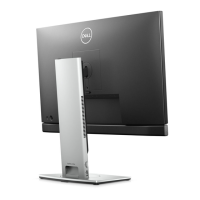
Dell OptiPlex 3090 Ultra
140 pages
Print Icon
To Next Page IconTo Next Page
Loading...
OptiPlex 3090 Ultra
Service Manual
Regulatory Model: D13U
Regulatory Type: D13U003
August 2021
Rev. A01

Table of Contents

Other manuals for Dell OptiPlex 3090 Ultra

Questions and Answers

  • S
    sthompsonJul 28, 2025
    What to do if Dell OptiPlex 3090 Ultra has no power and won't boot?
    • J
      Jeffrey McmahonJul 29, 2025
      If your Dell Desktop is experiencing a No POST, No Power, or No Boot situation, perform an RTC reset by pressing and holding the power button for 20 seconds.
  • M
    Michael WrightAug 2, 2025
    What to do if my Dell OptiPlex 3090 Ultra is unable to boot to the operating system?
    • S
      Samantha EdwardsAug 2, 2025
      If your Dell Desktop is unable to boot to the operating system, start Dell SupportAssist OS Recovery.
  • T
    Theresa CaldwellAug 7, 2025
    How to fix WiFi connectivity issues on a Dell Desktop?
    • C
      Caroline WilliamsAug 7, 2025
      If you are experiencing WiFi connectivity issues with your Dell Desktop, perform a WiFi power cycle by following the outlined steps.
  • J
    Jonathan StricklandAug 12, 2025
    What to do if Dell Desktop has no memory detected?
    • K
      Kirk BatesAug 12, 2025
      If your Dell Desktop is not detecting memory, verify the installation of the memory modules.
  • T
    tsnyderAug 18, 2025
    What to do if Dell OptiPlex 3090 Ultra Desktop auto BIOS recovery image is not found?
    • S
      Shannon JohnsonAug 18, 2025
      If the BIOS auto-recovery on your Dell Desktop was triggered, and the recovery image is not found or is invalid, locate a valid recovery image.
  • J
    Jamie GonzalesAug 22, 2025
    What to do if Dell Desktop on-demand BIOS recovery image is not found?
    • H
      hoffmanjohnAug 22, 2025
      If the BIOS recovery on your Dell Desktop was triggered on-demand, and the recovery image is not found, make sure a valid recovery image is available.

Summary

Working on your computer

Safety instructions

Guidelines to protect the computer and ensure personal safety.

Stands

Fixed stand

Instructions for installing and removing the device on a fixed stand.

Pro 1.0 Height-adjustable stand-HAS

Steps for installing and removing the device on a Pro 1 height-adjustable stand.

Offset VESA mount

Procedures for installing and removing the device on an offset VESA mount.

Pro 2 Height-adjustable stand-HAS

Instructions for installing and removing the device on a Pro 2 height-adjustable stand.

Wall Mount

Steps for installing and removing the device on a wall mount.

Removing and installing components

System setup

Updating the BIOS

Instructions for updating the BIOS via Windows, Linux, or USB.

Troubleshooting

Dell SupportAssist Pre-boot System Performance Check diagnostics

How to run hardware diagnostics using Dell SupportAssist.

Dell OptiPlex 3090 Ultra Specifications

General IconGeneral
Harmonized System (HS) code84715000

Related product manuals