Steps
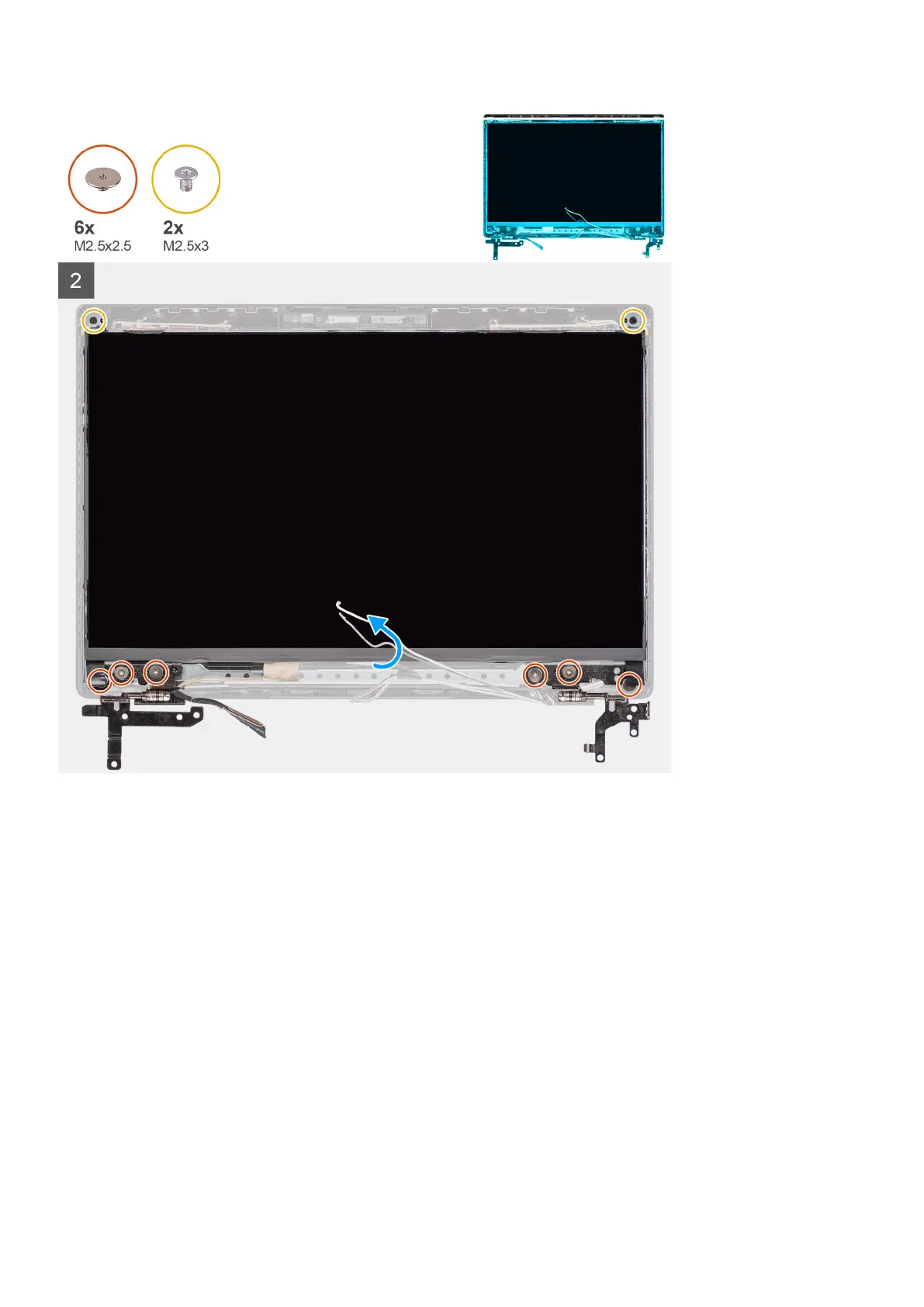
1. Align and place the display panel on the display assembly.
2. Connect the display cable to the connector on the display panel, close the latch and affix the adhesive tape.
3. Install the six (M2.5x2.5) and two (M2.5x3) screws to secure the left and right hinge brackets in place.
4. Gently flip over the display panel.
Next steps
1. Install the display bezel.
2. Install the display assembly.
3. Install the I/O board cable.
4. Install the WWAN card for 4G LTE enabled systems..
5. Install the WLAN card.
6. Install the base cover.
7. Install the SIM card tray for 4G LTE enabled systems.
8. Install the microSD-card.
9. Exit the service mode
10. Follow the procedure in after working inside your computer.
58
Removing and installing components



 To Next Page