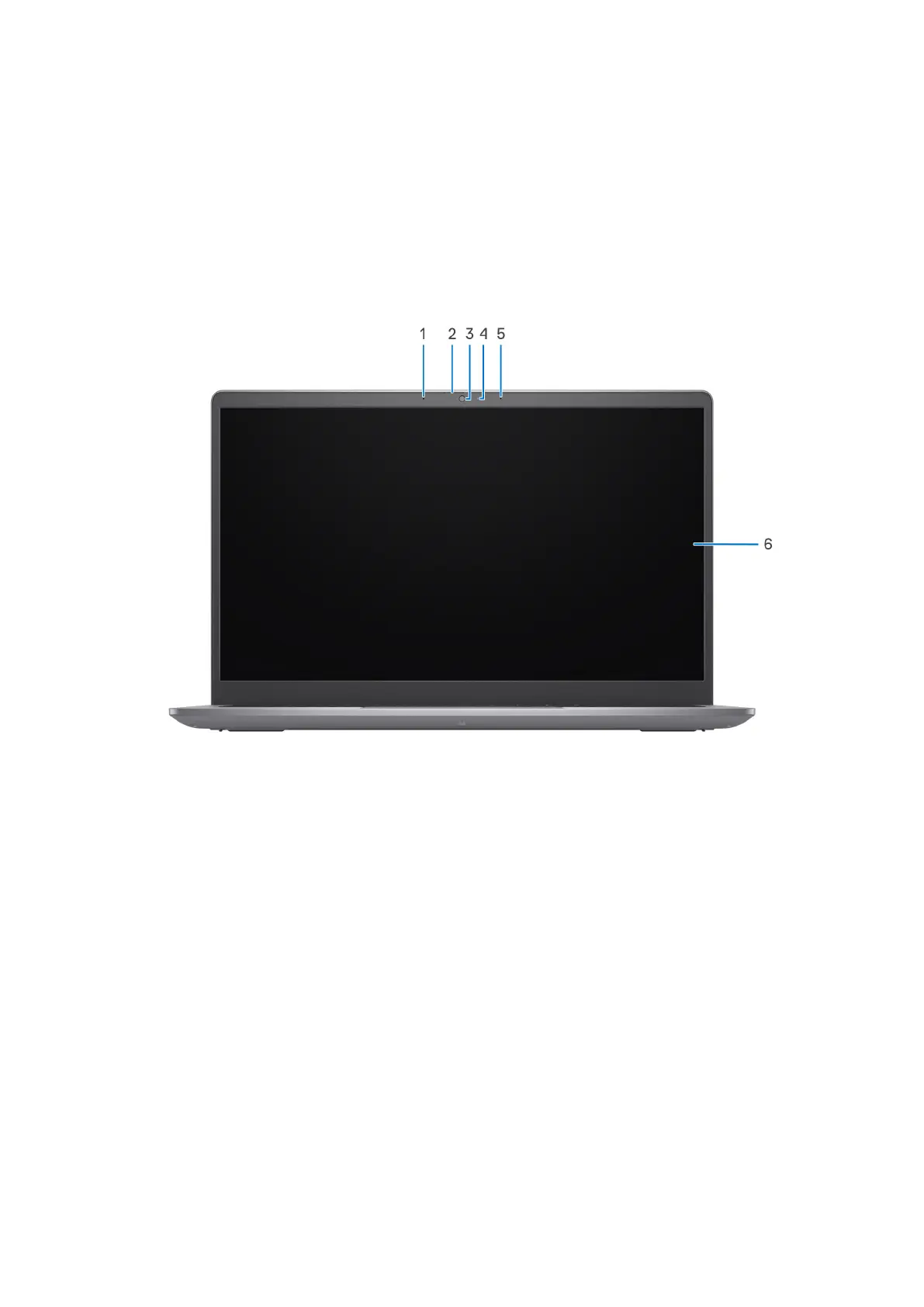
1. Camera
Enables you to video chat, capture photos, and record videos.
2. Camera-status light
Turns on when the camera is in use.
3. Microphone
Provides digital sound input for audio recording and voice calls.
4. LCD panel
Provides visual output to the user.
Figure 2. Aluminum chassis with privacy shutter
1. Right microphone
Provides digital sound input for audio recording and voice calls.
2. Left microphone
Provides digital sound input for audio recording and voice calls.
3. Privacy shutter
Slide the privacy shutter to cover the camera lens and protect your privacy when the camera is not in use.
4. Camera
Enables you to video chat, capture photos, and record videos.
5. Camera-status light
Turns on when the camera is in use.
6. Right microphone
Provides digital sound input for audio recording and voice calls.
7. LCD panel
10
Views of Vostro 14 3435



 To Next Page