Steps
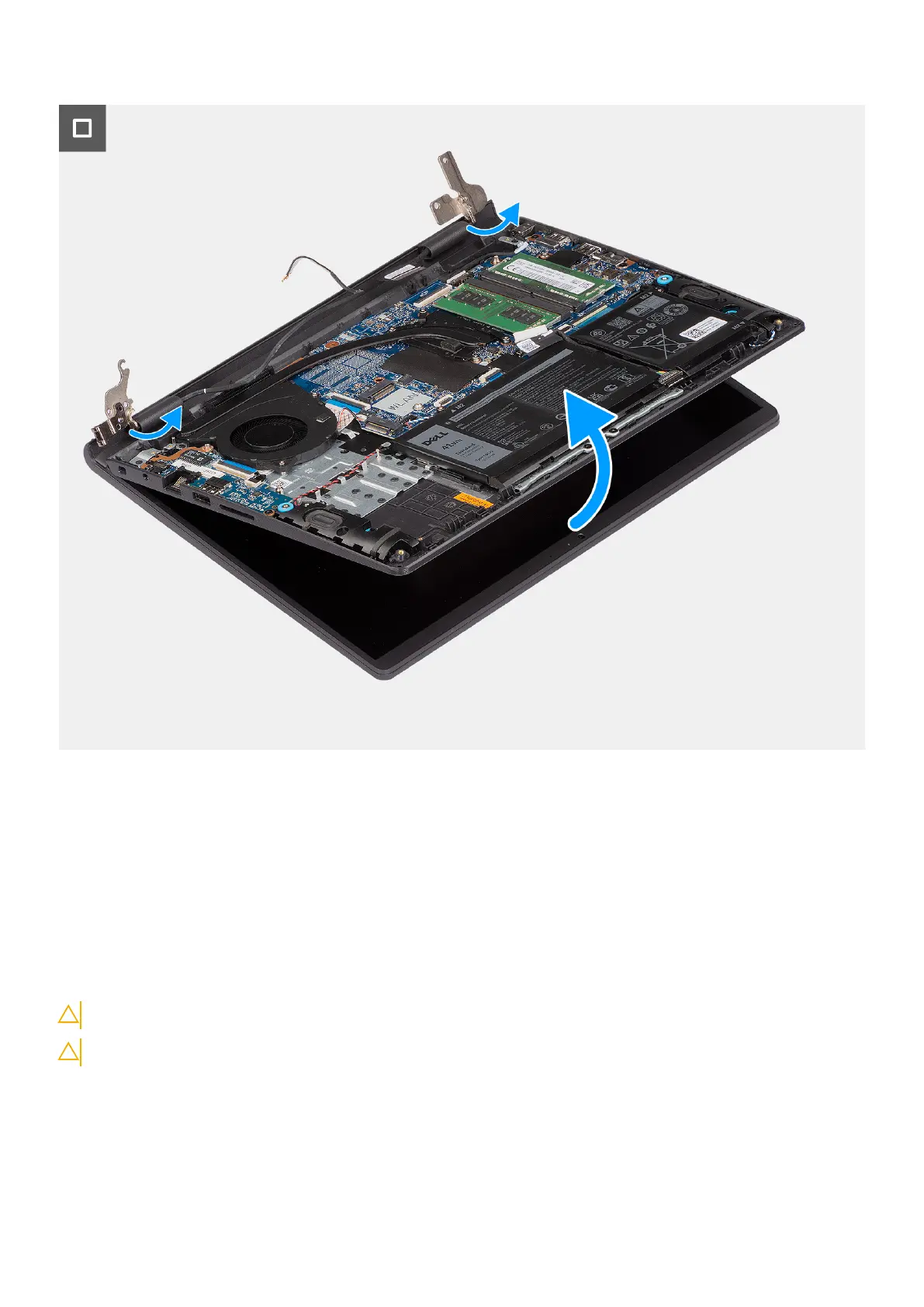
1. Remove the four (M2.5x5) screws that secure the display hinges to the palm-rest and keyboard assembly.
2. Disconnect the display cable and the speaker cable from the system board (for systems with plastic chassis).
3. Unroute the speaker cable from the routing guides on the palm-rest and keyboard assembly.
4. Unroute the WLAN antenna cables from the routing guides on the palm-rest and keyboard assembly.
5. Open the display hinges at an angle of 90 degrees, and place the system on a flat surface.
6. Remove the display assembly from the palm-rest and keyboard assembly.
Installing the plastic display assembly
CAUTION: The information in this section is intended for authorized service technicians only.
CAUTION: The maximum operating angle for the display-panel hinge is 135 degrees.
Prerequisites
If you are replacing a component, remove the existing component before performing the installation process.
Removing and installing Field Replaceable Units (FRUs)
81



 To Next Page