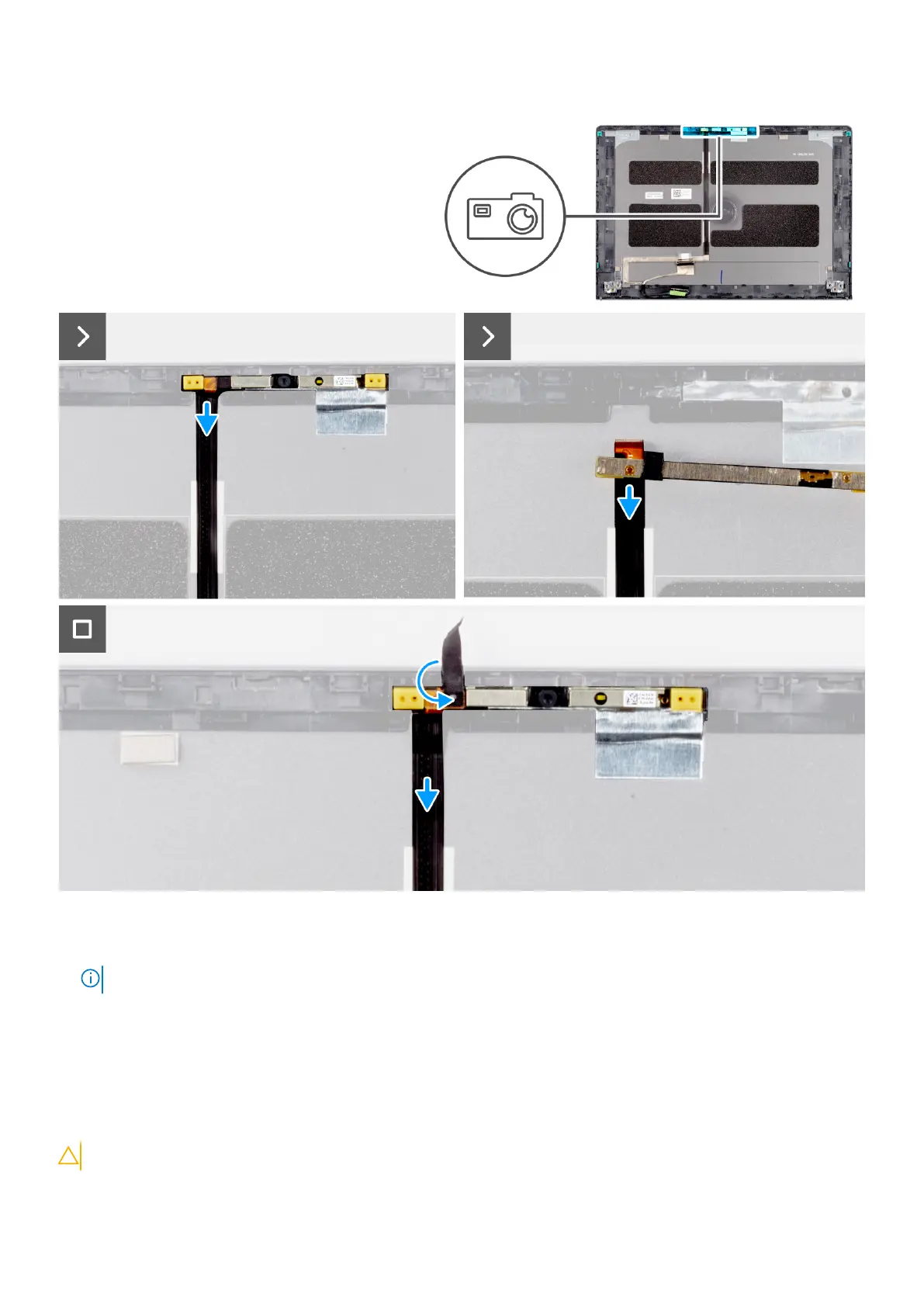
Steps
1. Using a plastic scribe, pry the camera module from the display back cover and flip it.
NOTE: Start prying the camera module in a sequential order 1>2 as indicated on the display back cover.
2. Peel and unwrap the tape securing the camera module to the display back cover.
3. Disconnect the camera cable from its connector.
4. Lift the camera module.
Installing the camera module (with aluminum chassis)
CAUTION: The information in this section is intended for authorized service technicians only.
122 Removing and installing Field Replaceable Units (FRUs)



 To Next Page