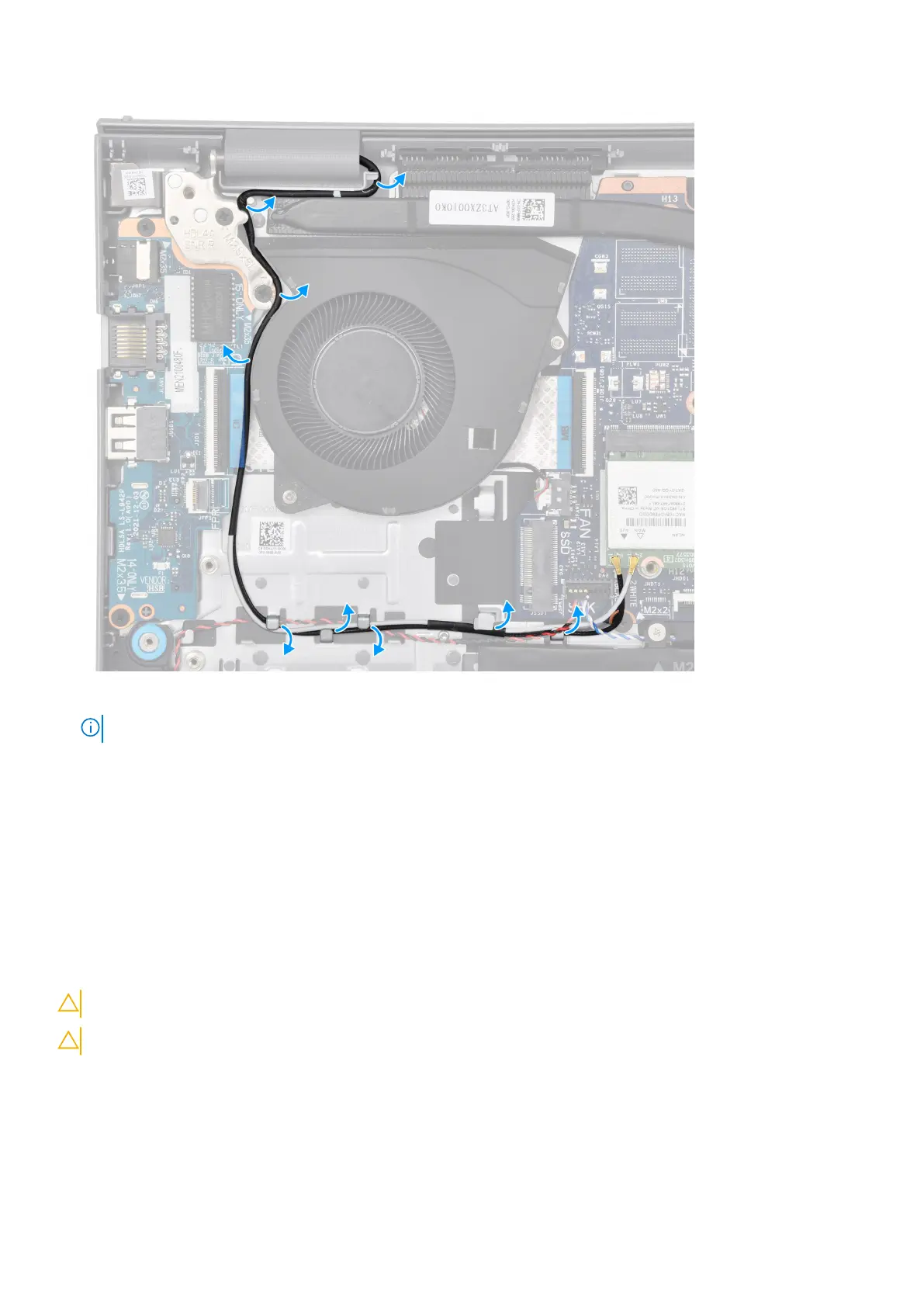
5. Route the speaker cable through the routing guides on the palm-rest and keyboard assembly.
NOTE: Ensure to route the speaker cable over the WLAN antenna cables.
6. Connect the display cable to the connector on the system board.
Next steps
1. Install the wireless card.
2. Install the M.2 2230 solid state drive or M.2 2280 solid state drive (whichever applicable).
3. Install the base cover.
4. Install the SD card.
5. Follow the procedure in After working inside your computer.
Removing the aluminum display assembly
CAUTION: The information in this section is intended for authorized service technicians only.
CAUTION: The maximum operating angle for the display-panel hinge is 135 degrees.
Prerequisites
1. Follow the procedure in Before working inside your computer.
2. Remove the SD card.
3. Remove the base cover.
Removing and installing Field Replaceable Units (FRUs)
85



 To Next Page