NOTE: This procedure is applicable for systems shipped with aluminum chassis only.
Prerequisites
If you are replacing a component, remove the existing component before performing the installation process.
About this task
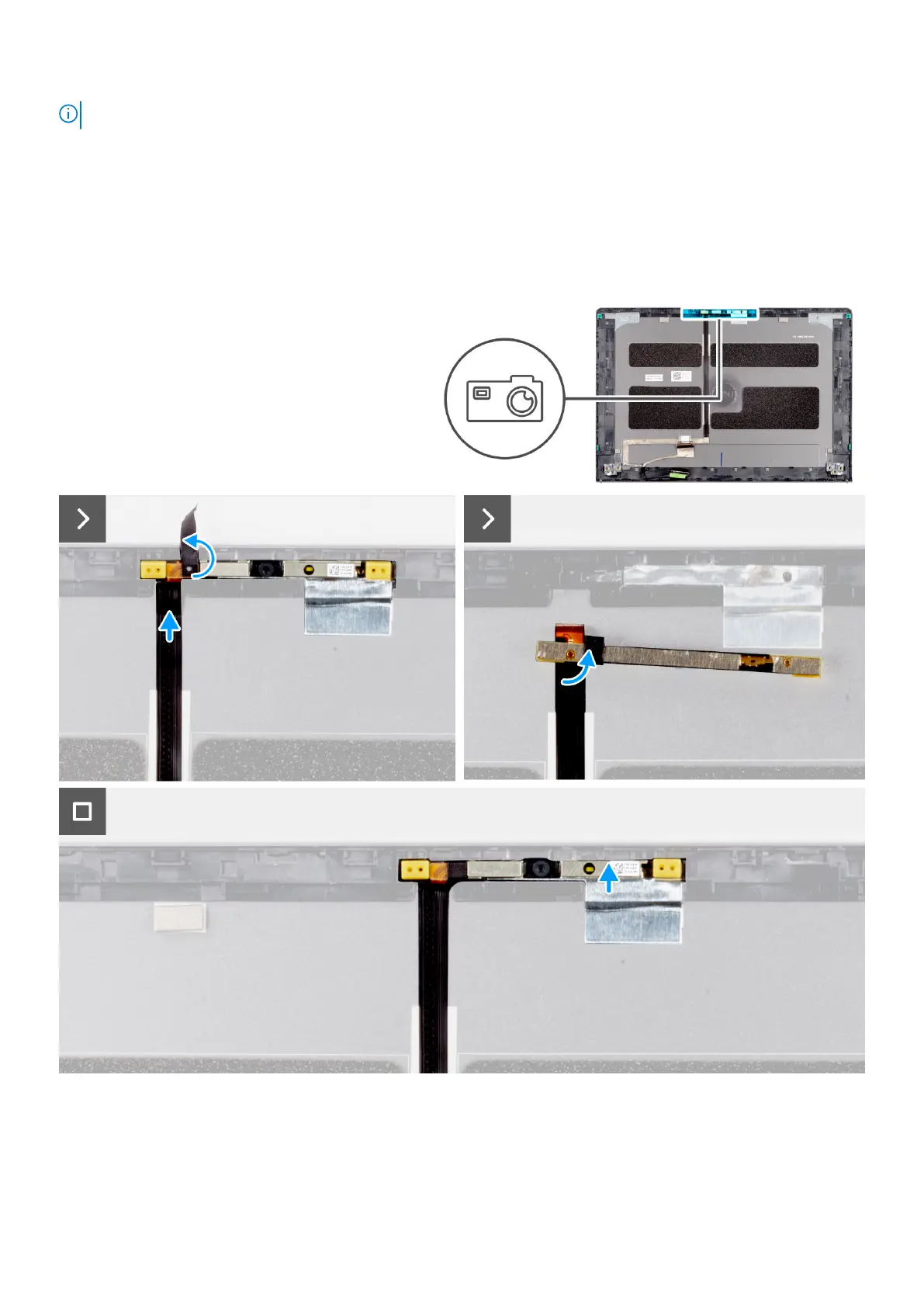
The following images indicate the location of the camera module (in a system shipped with an aluminum chassis) and provide a
visual representation of the installation procedure.
Steps
1. Place the camera module in its slot on the display back cover.
2. Adhere the tape that secures the camera module to the display back cover.
3. Connect the camera cable to the camera module.
Removing and installing Field Replaceable Units (FRUs)
123



 To Next Page