About this task
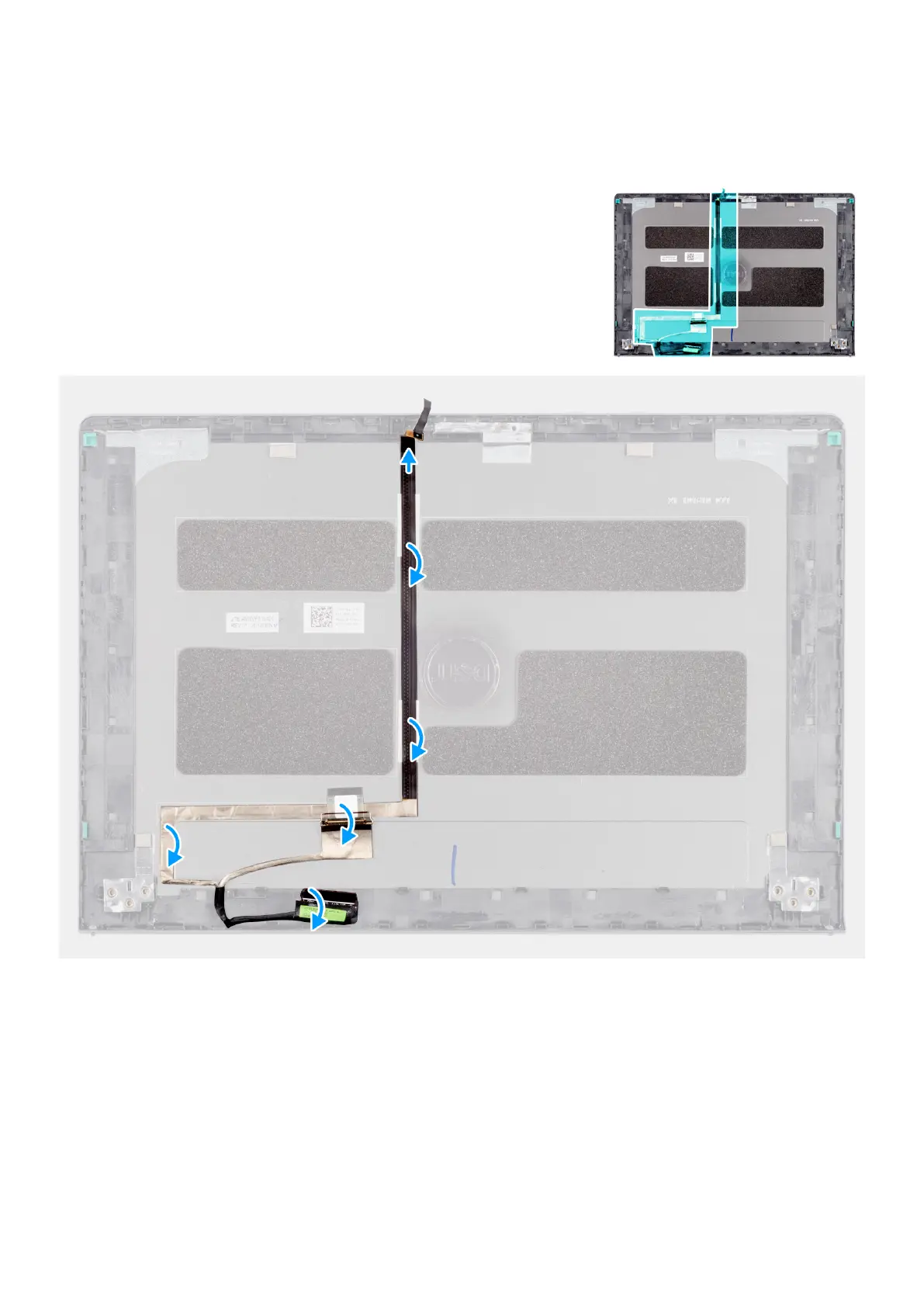
The following image indicates the location of the eDP cable (in a system shipped with an aluminum chassis) and provides a visual
representation of the installation procedure.
Steps
1. Connect the eDP cable to the camera.
2. Adhere the tape to securing the eDP cable to the display back cover.
Next steps
1. Install the aluminum display assembly.
2. Install the wireless card.
3. Install the M.2 2230 solid state drive or M.2 2280 solid state drive (whichever applicable).
4. Install the memory modules.
5. Install the base cover.
118
Removing and installing Field Replaceable Units (FRUs)



 To Next Page