Steps
1. Place the system board on the palm-rest and keyboard assembly.
2. Align the screw holes on the system board with the screw holes on the palm-rest assembly.
3. Replace the single (M2x2) screw that secures the system board to the palm-rest assembly.
4. Replace the three (M2x3.5) screws that secure the system board to the palm-rest assembly.
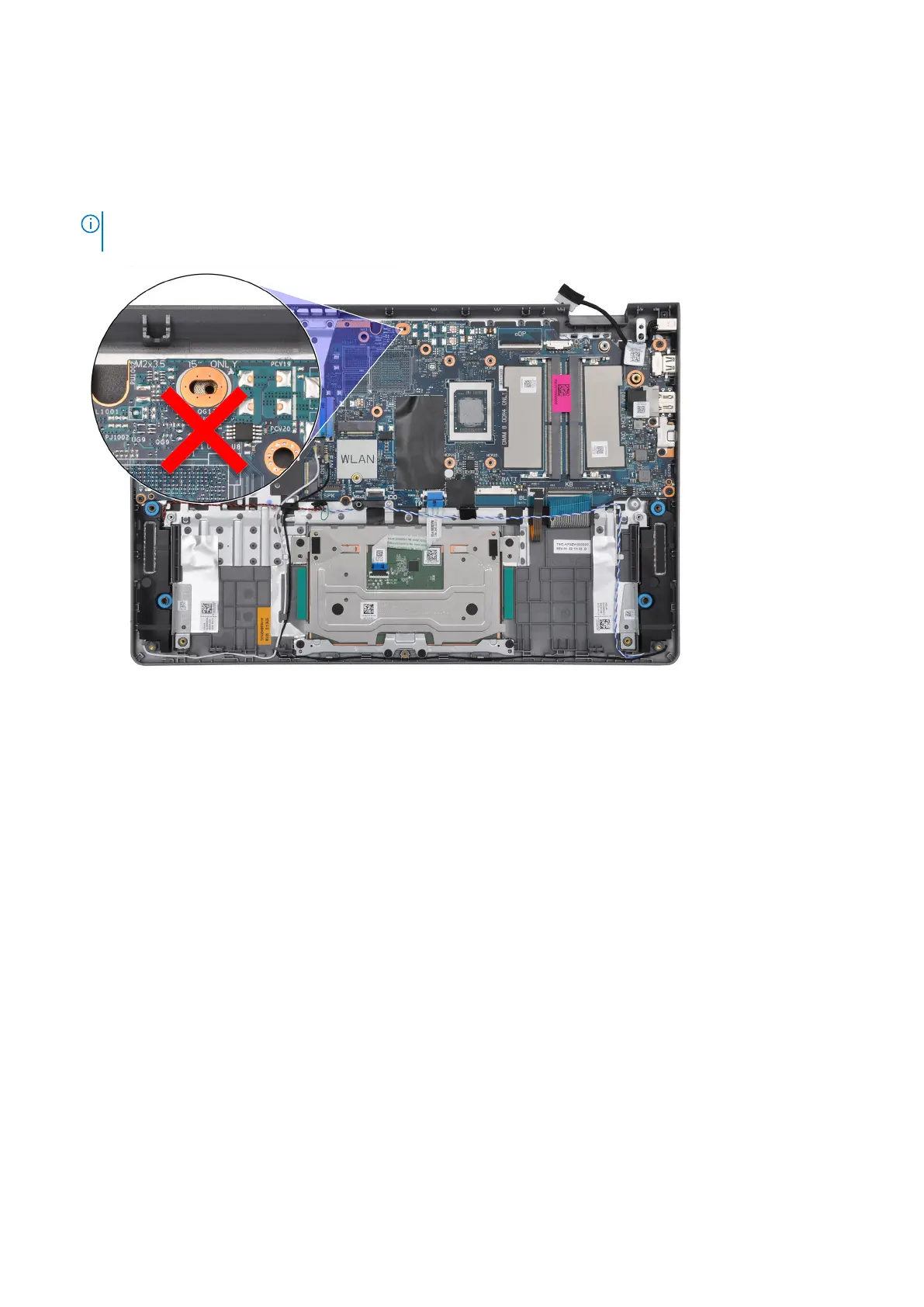
NOTE: When re-placing/reinstalling the system board, DO NOT install a screw to the screw hole at the top side the
system board.
5. Connect the following cables to the system board:
a. I/O board Flexible Flat cable
b. Speaker cable
c. Touchpad Flexible Flat cable
d. Keyboard backlight Flexible Printed cable (for systems with backlit keyboard)
e. Keyboard Flexible Printed cable
f. Power adapter port cable
g. eDP cable
6. Close the right and align the screw holes on the right hinge with the screw holes on the system board.
7. Replace the two (M2.5x5) screws to secure it to the palm-rest.
Next steps
1. Install the plastic display assembly or aluminum display assembly (whichever applicable).
2. Install the UMA heat sink or discrete heat sink (whichever applicable).
3. Install the fan.
4. Install the wireless card.
5. Install the M.2 2230 solid state drive or M.2 2280 solid state drive (whichever applicable).
6. Install the memory modules.
7. Install the 3-cell battery or 4-cell battery (whichever applicable).
8. Install the base cover.
9. Install the SD card.
10. Follow the procedure in After working inside your computer.
136
Removing and installing Field Replaceable Units (FRUs)



 To Next Page