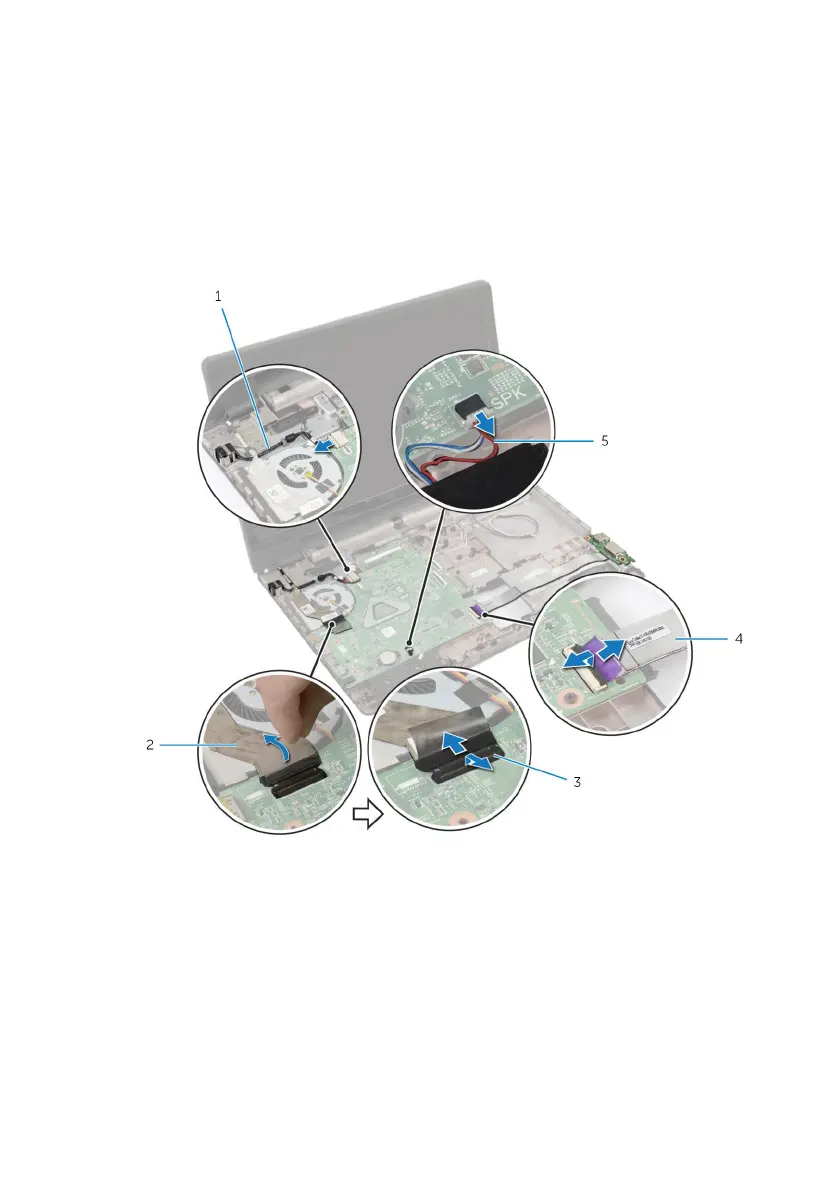
4 Turn the computer over and open the display as far as possible.
5 Peel off the tape that secures the display cable to the system-board
assembly.
6 Lift the connector latches and disconnect the display cable and I/O-
board cable from the system board.
7 Peel off the display cable from the fan.
8 Disconnect the power-adapter port cable and speaker cable from the
system board.
1 power-adapter port cable 2 display cable
3 latches (3) 4 I/O-board cable
5 speaker cable
9 Remove the screws that secure the system-board assembly to the
computer base.
66



 To Next Page