Operating the Monitor │ 37
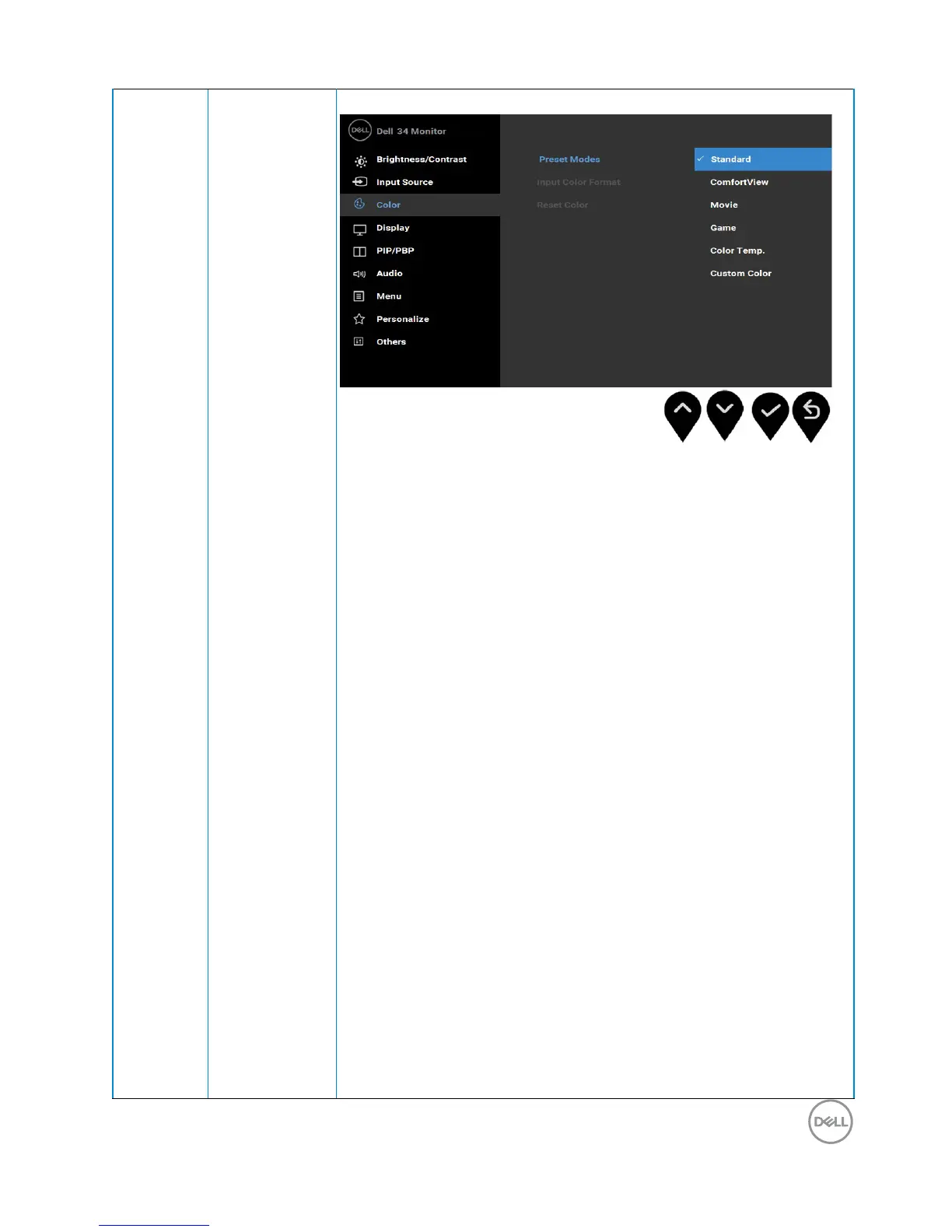
Preset
Modes
Allows you to choose from a list of preset color modes.
• Standard
:
Loads the monitor's default color settings.
This is the default preset mode.
• ComfortView
:
Decreases the level of blue light emitted
from the screen to make viewing more comfortable for
your eyes
.
NOTE: To reduce the risk of eye strain and neck/
arm/back/shoulders pain from using the monitor for
long periods of time, we suggest you to :
• Set the screen about 20 to 28 inches (50-70 cm)
from your eyes.
• Blink frequently to moisten or rewet your eyes when
working with the monitor.
• Take regular and frequent breaks for 20 minutes
every two hours.
• Look away from your monitor and gaze at a distant
object at 20 feet away for at least 20 seconds
during the breaks.
• Perform stretches to relieve tension in the neck/
arm/back/shoulders during the breaks.
•
Movie
:
Loads color settings ideal for movies.
• Game
:
Loads color settings ideal for most gaming
applications.



 To Next Page