42 │ Operating the Monitor
PIP/PBP
Mode
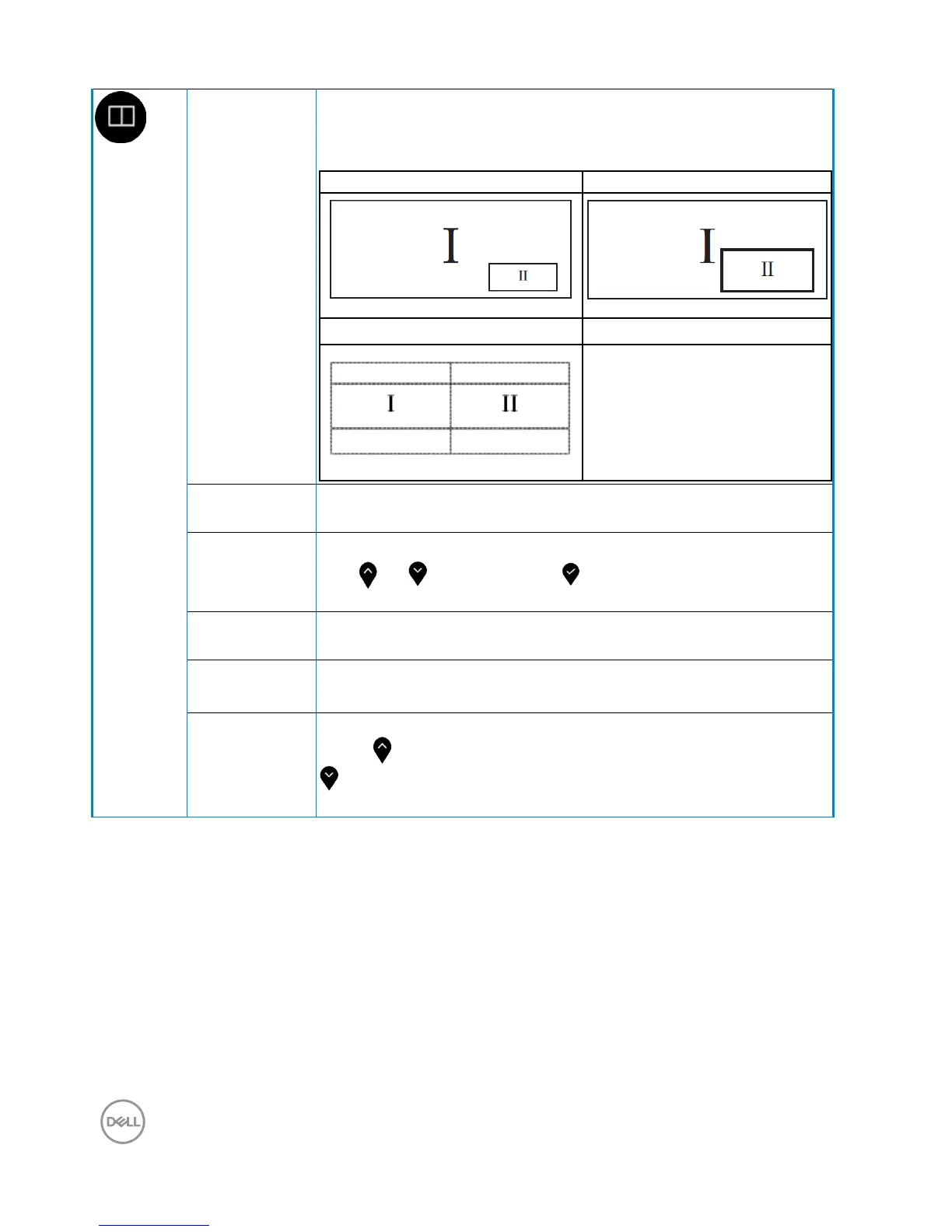
Adjusts the PIP/PBP (Picture in Picture/Picture by
Picture) mode to PIP Small, PIP Large, PBP. You can
disable this feature by selecting Off.
PIP Small PIP Large
PBP
PIP/PBP
(Sub)
Select between the different video signals that may be
connected to your monitor for the PIP/PBP sub-window.
PIP Location Select PIP sub-window position.
Use or to browse and to select Top-Left, Top-
Right, Bottom-Right, or Bottom-Left.
Video Swap Select to swap videos between main window and sub-
window in PIP/PBP mode.
Audio Allows you to set the audio source from the main window
or the-sub window.
Contrast
(Sub)
Adjust the contrast level of the picture in PIP/PBP Mode.
Press the button to increase the contrast and press the
button to decrease the contrast.



 To Next Page