About Your Monitor │ 9
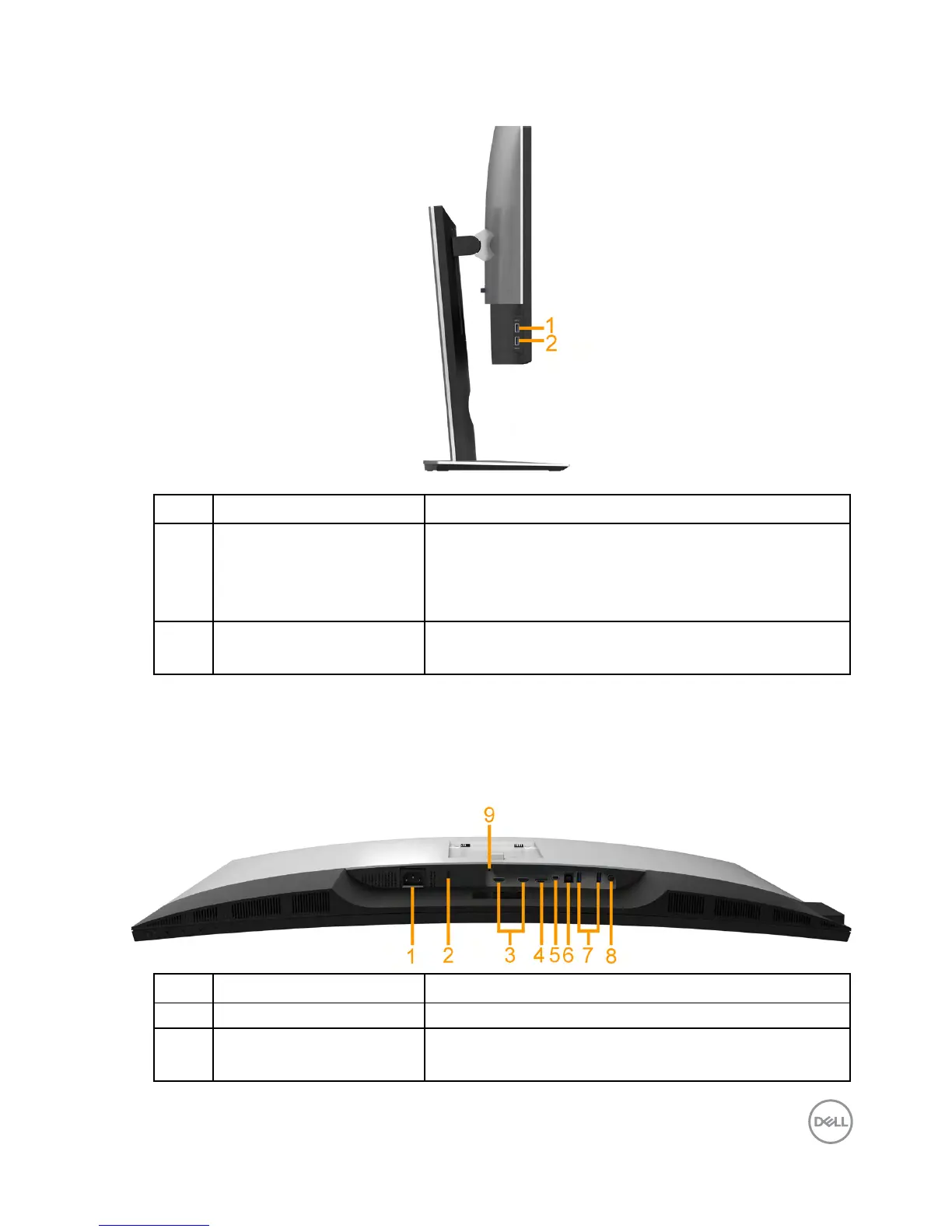
Side View
Label Description Use
1 USB downstream port Connect your USB device. You can only use this
connector after you have connected the USB
cable to the computer and USB downstream
connector on the monitor.*
2 USB downstream port
with Power Charging
Connect to charge your device.
* To avoid signal interference, when a wireless USB device has been connected
to a USB downstream port, it is NOT recommended to connect any other USB
devices to the adjacent port(s).
Bottom View
Label Description Use
1 AC power connector To connect the monitor power cable.
2 Security lock slot Secures monitor with security lock (security lock
not included).



 To Next Page