2. Remove the base cover.
3. Remove the battery.
About this task
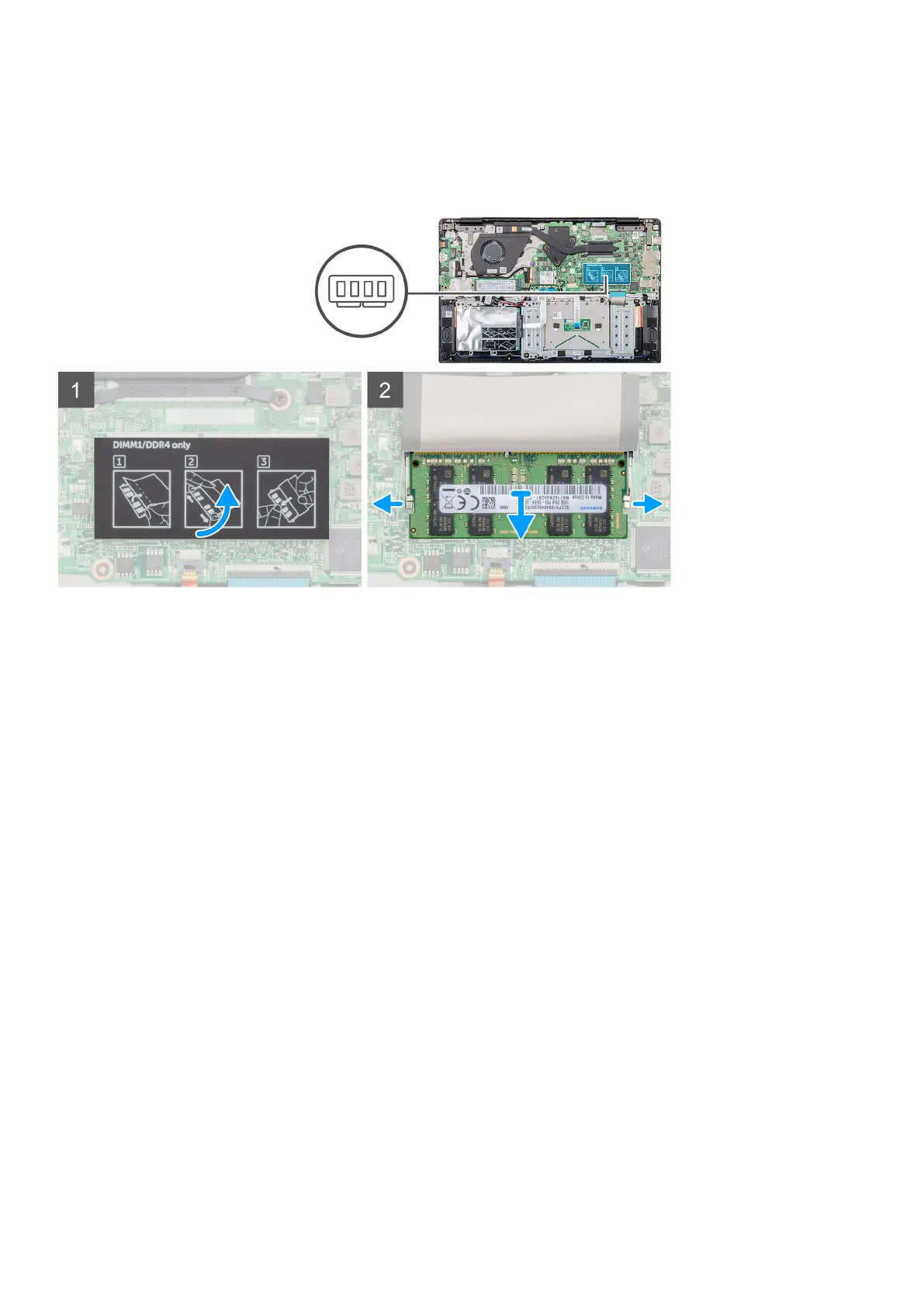
The figure indicates the location of the memory module and provides a visual representation of the removal procedure.
Steps
1. Peel the adhesive tape, above the memory module, to a 90-degree angle.
2. Using your finger tips gently pry the retention clips away from the memory module until the memory module pops up.
3. Slide and remove the memory module from the memory module slot on the system board.
Installing the secondary memory module
Prerequisites
If you are replacing a component, remove the existing component before performing the installation procedure.
About this task
The figure indicates the location of the memory module and provides a visual representation of the installation procedure.
16
Removing and installing components



 To Next Page