Next steps
1. Install the battery.
2. Install the base cover.
3. Follow the procedure in After working inside your computer.
Touchpad
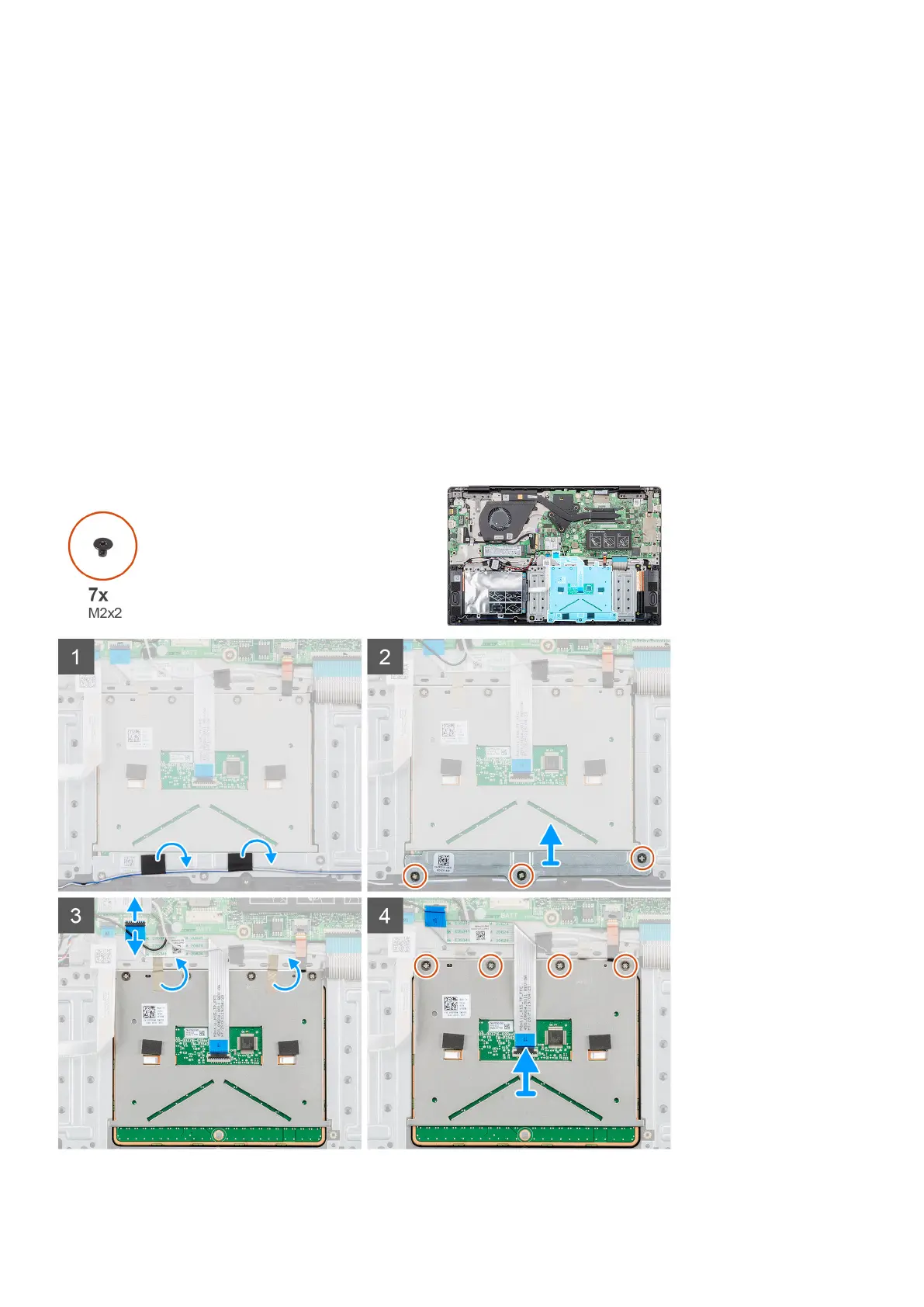
Removing the touchpad
Prerequisites
1. Follow the procedure in Before working inside your computer.
2. Remove the base cover.
3. Remove the battery.
About this task
The figure indicates the location of the touchpad and provides a visual representation of the removal procedure.
42 Removing and installing components



 To Next Page