Steps
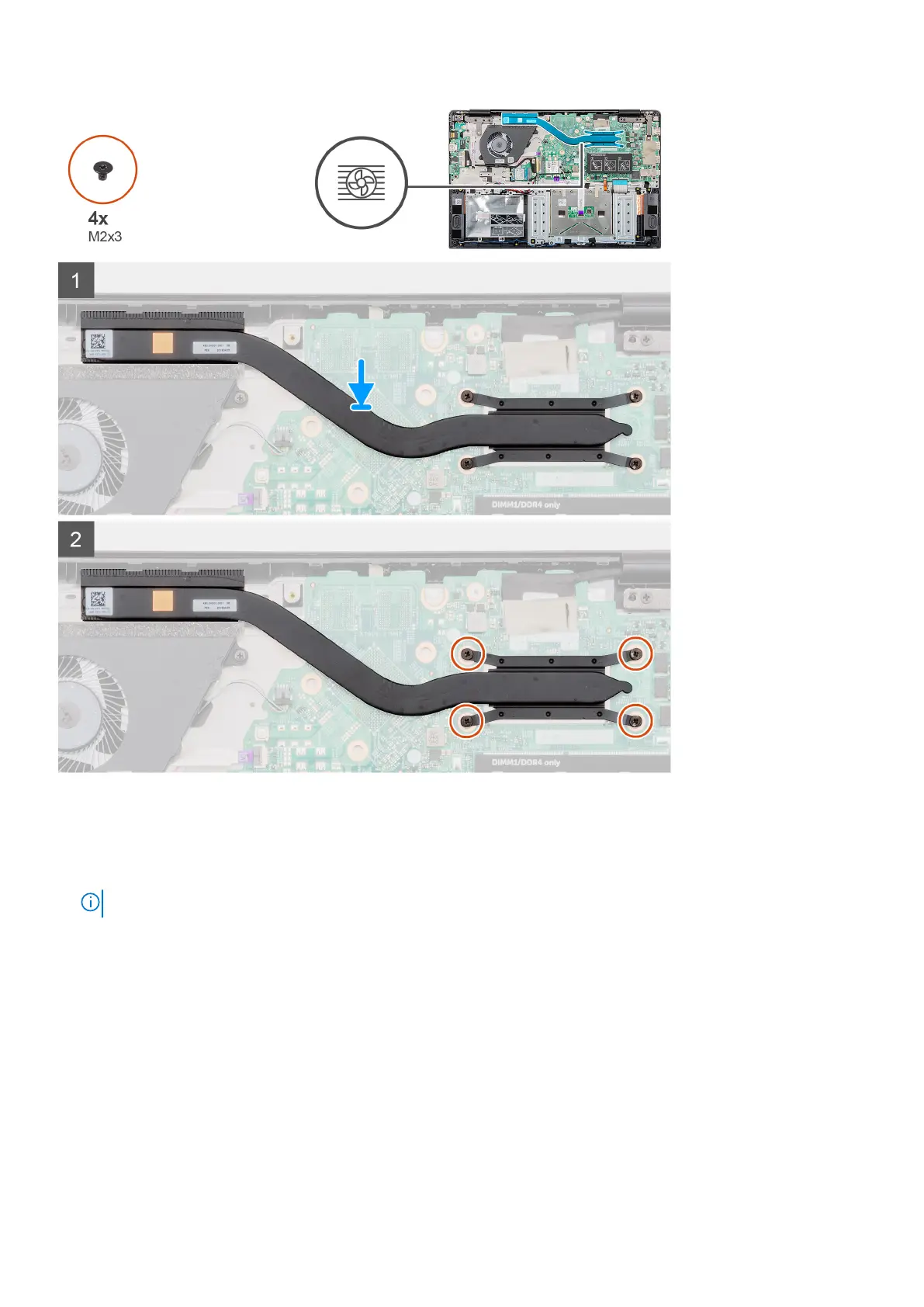
1. Locate the heatsink assembly slot on your computer.
2. Align and place the heatsink assembly into the slot of your computer.
3. Replace the four (M2x3) screws to secure the heatsink assembly to the system board.
NOTE: Install the screws as per the callout on the heatsink.
Next steps
1. Install the battery.
2. Install the base cover.
3. Follow the procedure in After working inside your computer.
Removing and installing components
39



 To Next Page