6. Remove the speakers
7. Remove the M.2 2230 SSD or M.2 2242 SSD or M.2 2280 SSD.
8. Remove the memory.
9. Remove the WLAN.
10. Remove the input and output board.
11. Remove the system fan.
12. Remove the power-adapter port.
13. Remove the touchpad.
14. Remove the system board.
NOTE: The system board can be removed and installed together with the heat sink attached, when replacing the
palm-rest assembly. This simplifies the procedure and avoids breaking the thermal bond between system board and heat
sink.
15. Remove the power button or power button with fingerprint reader.
16. Remove the display assembly.
About this task
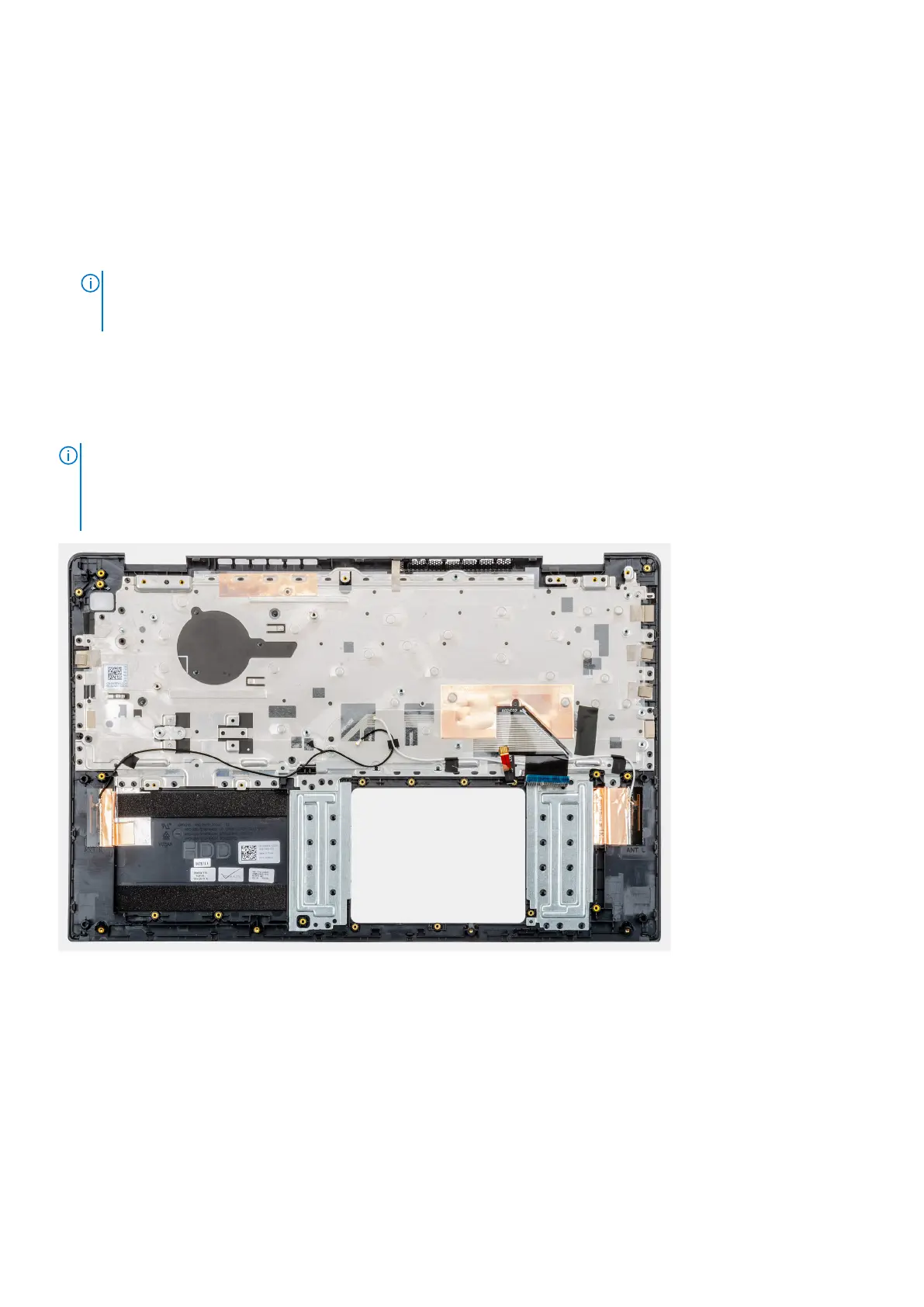
After performing the preceding steps, you are left with the palmrest.
NOTE: The palm-rest assembly includes the following components:
● Palm rest
● Keyboard
● Wireless antenna (2)
Next steps
1. Install the display assembly.
2. Install the power button or power button with fingerprint reader.
3. Install the system board.
4. Install the touchpad.
5. Install the power-adapter port.
6. Install the system fan.
7. Install the input and output board.
8. Install the WLAN card.
9. Install the memory.
Removing and installing components
63



 To Next Page