NOTE: The following steps are applicable only if you want to further remove other components from your computer.
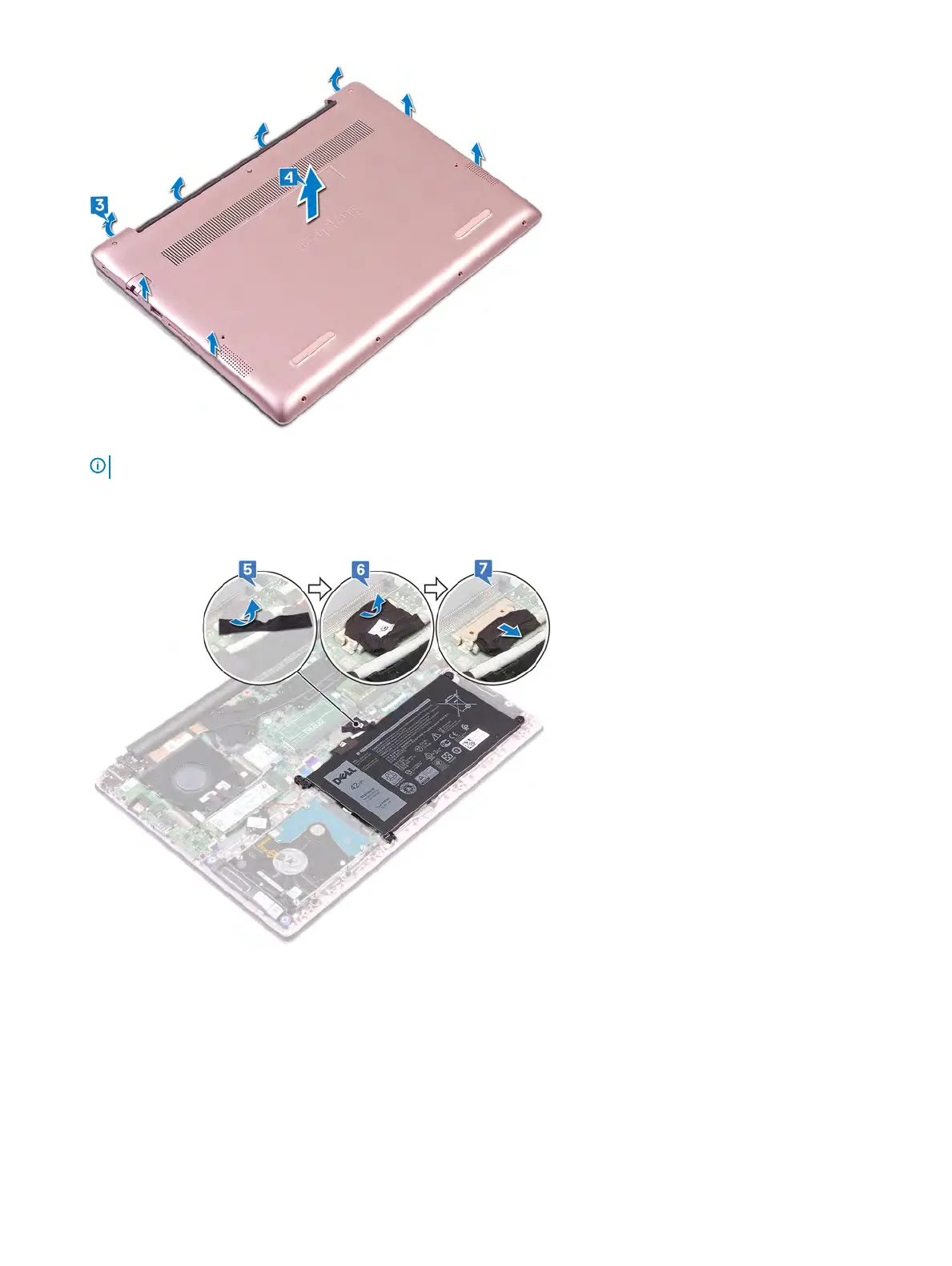
5 Peel the tape that secures the battery cable to the system board.
6 Peel the tape that secures the battery cable connection to the system board.
7 Disconnect the battery cable from the system board.
8 Press and hold the power button for v
e seconds to ground the computer and drain the ea power.
Removing the base cover 15



 To Next Page