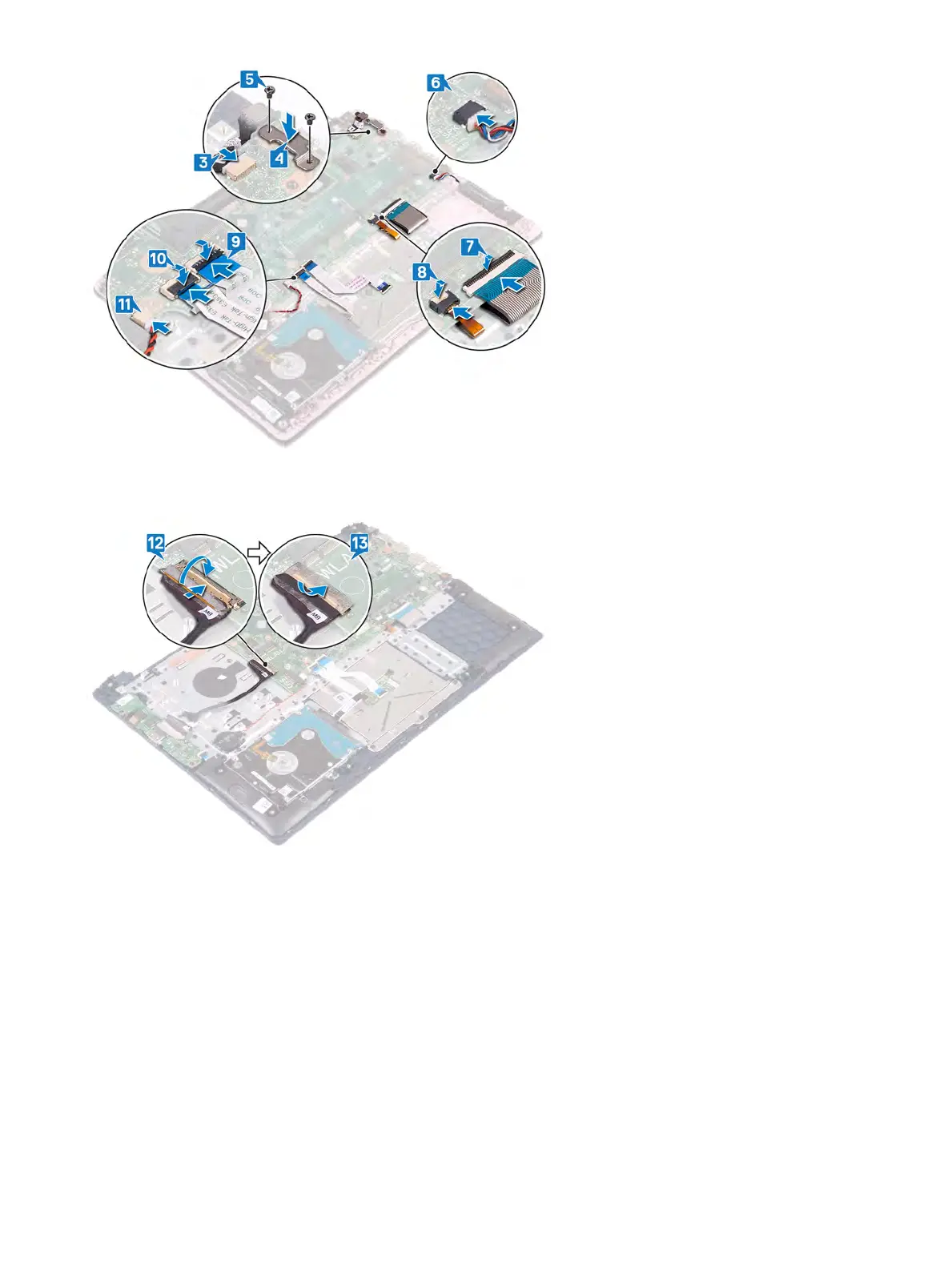
12 Connect the I/O cable to the system board and close the latch.
13 Adhere the tape that secures the I/O cable to the system board.
Post-requisites
1 Replace the heat sink
.
2 Replace the solid-state drive/Intel Optane memory module.
3 Replace the fan
.
4 Replace the wireless card.
5 Replace the memory modules.
6 Replace the battery
.
7 Replace the base cover
.
Replacing the system board 63



 To Next Page