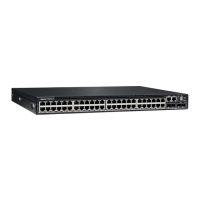
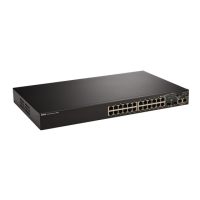
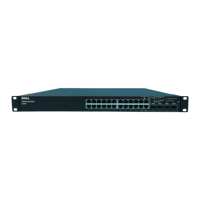
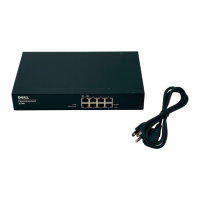
This document provides installation instructions for the Dell PowerSwitch N2200-ON and N3200-ON/E3200-ON Series Switches' External Power Supply (EPS). The EPS is an optional component designed to provide power to these full-width and half-width switches. It can be installed in various configurations, including desktop, wall mount, or rack mount.
Function Description:
The External Power Supply (EPS) serves as an external power source for Dell PowerSwitch N2200-ON and N3200-ON/E3200-ON Series Switches. It is designed to ensure reliable power delivery, supporting the operation of these network switches. The EPS is available in two main models:
- MPS-1S: This model is an EPS Shelf with one Power Supply Unit (PSU).
- MPS-3S: This model is an EPS Shelf with three PSUs, offering increased power capacity and redundancy.
The primary function of the EPS is to provide a stable and sufficient power supply, which is critical for the continuous operation of network switches. By externalizing the power supply, it allows for flexible deployment options and potentially easier maintenance or upgrades of the power components without affecting the switch itself.
Important Technical Specifications:
While specific electrical specifications like voltage, current, and wattage are not detailed in this document, the mechanical and installation-related specifications are provided:
- Model Numbers:
- Regulatory Model: E51W
- RTN (Regulatory Type Number) for one slot: E51W001 (likely corresponding to the MPS-1S)
- RTN for three slots: E51W003 (likely corresponding to the MPS-3S)
- Mounting Hardware Dimensions:
- M4 screws (length 6.8 mm): Used for attaching L-brackets to the switch for two-post rack installation and for attaching wall-mount brackets to the EPS.
- M5 screws (length 16 mm): Used for attaching wall-mount brackets to the wall.
- #12-24 screws: Used for attaching the EPS to a two-post rack.
- Torque Specifications:
- M4 screws (L-brackets/wall-mount brackets to EPS): 10 inch-lbs.
- M5 screws (wall-mount brackets to wall): 24 inch-lbs.
- Wall Mount Hole Dimensions (for MPS-1S): Approximately 8.37 in x 6.76 in (212.60 mm x 171.85 mm) (L x W).
- Wall Mount Drill Hole Size: 0.3 in (8 mm) diameter.
- Grounding: Grounding conductors must be made of copper. The ground cable itself is not included. M4 screws (length 6.8 mm) are used for attaching the ground cable to the switch. The rack installation ears are explicitly stated as not suitable for grounding.
Usage Features:
The EPS offers versatile usage options to accommodate different deployment environments:
- Desktop Mount: For desktop use, the EPS is equipped with four small rubber feet that need to be attached to its underside. This prevents scratching surfaces and provides stability.
- Two-Post Rack Installation:
- MPS-1S: This model can be installed in a two-post rack using L-brackets. It supports front-mount, five-inch-offset mount, and rear-mount configurations. The L-brackets are secured to the switch with M4 screws and then to the rack with M4 screws.
- MPS-3S: This model also supports front-mount, five-inch-offset mount, and rear-mount two-post rack installations. It uses specific mounting brackets that slide onto mushroom heads on the EPS and are then secured with screws. The EPS is then attached to the rack using #12-24 screws.
- Wall Mount (MPS-1S only): The MPS-1S can be mounted to a wall using four wall-mount brackets. This requires drilling holes in the wall, installing wall anchors, and securing the brackets with M5 screws. It is important to note that the EPS should not be wall-mounted with the front panel/PSU facing up or down.
- Restricted Access Areas: The switch equipment, including the EPS, is intended for installation in restricted access areas. These are locations where access is controlled by special tools, locks, keys, or other security measures, and access is managed by an authorized entity.
- Grounding: A ground cable (user-supplied, copper) must be attached to the switch using M4 screws and connected to a suitable ground point (rack or cabinet). Antioxidant compound should be used on one-hole lugs before crimping, and plated mating surfaces should be clean and free from contamination.
- Visual Display Workplaces: The device is not intended for use in the direct field of view at visual display workplaces to avoid reflections.
Maintenance Features:
While the document primarily focuses on installation, some aspects touch upon maintenance and safety:
- Grounding Importance: The explicit instructions for grounding, including the type of conductor (copper), use of antioxidant compound, and torque specifications, highlight the importance of proper electrical safety and maintenance practices. The warning "This equipment must be earthed" underscores a critical safety requirement.
- Cable Management: The instruction to cut the user-supplied ground cable to the wanted length, facilitating proper operation of fault interrupt circuits and using the shortest allowable cable route, suggests good practice for cable management and safety, which aids in maintenance.
- Output Cable Security: The note to "Always secure the DC output cable to the output terminal block when EPS operating" is a maintenance-related instruction to ensure stable power delivery and prevent accidental disconnections.
- Access for Service Personnel: The mention of "restricted access areas" and that "Console and Ethernet ports are used for debugging and firmware updates by service personnel only" indicates that certain maintenance and diagnostic tasks are intended for qualified service personnel, implying a structured approach to device upkeep.
- Troubleshooting (Implied): The presence of "Notes, cautions, and warnings" throughout the document serves as a guide for preventing common issues and ensuring safe operation, indirectly contributing to easier maintenance by avoiding potential damage or injury. For instance, the caution about grounding conductors and the warning about potential property damage, personal injury, or death if installation is not done correctly.

 Need help?





 To Next Page
 General