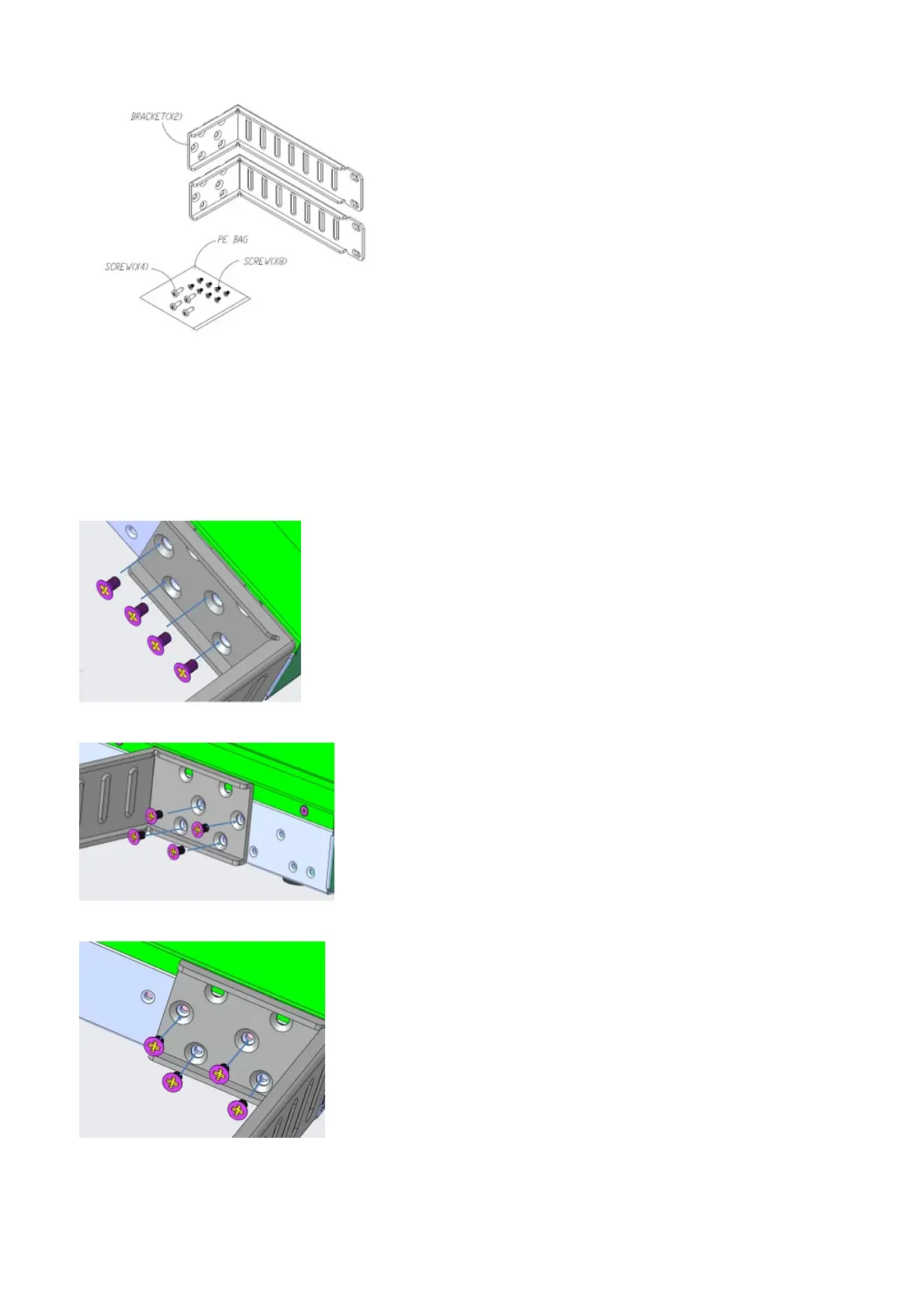
2. Screw one L-bracket to the switch using the four M4 screws (length 6.8 mm).
Install the brackets to the switch in front, five-inch-offset, or rear mounting positions, as shown.
● For front-mount: The mounting bracket and bracket ears face the front of the EPS.
● For five-inch-offset mount: The mounting bracket is at the front of the EPS with the bracket ears facing the back of the
EPS.
● For rear-mount: The mounting bracket and bracket ears face the back of the EPS.
Torque the screws to 10 inch-lbs.
Front mount
5-inch offset mount
Rear mount
3. Repeat with the second single-switch L-bracket.
Front mount
N-Series EPS installation
5





 To Next Page