18 A Tour of Your Computer
www.dell.com | support.dell.com
OPTICAL-DRIVE-TRAY EJECT BUTTON — Press this button to eject a CD or DVD from the optical drive.
This button only works when the computer is turned on.
USB
CONNECTORS — Connect USB devices, such as a mouse, keyboard, or printer. You can also connect
the optional floppy drive directly to a USB connector using the optional floppy-drive cable
AIR VENT AND CUSTOMIZABLE LIGHTS — The computer uses fans to create airflow through the vents,
which prevents the computer from overheating.
CAUTION: Do not block, push objects into, or allow dust to accumulate in the air vents. Do not store
your computer in a low-airflow environment, such as a closed briefcase, while it is running. Restricting
the airflow can damage the computer or cause a fire.
Lights in several different colors emit light through the air vents, allowing you to color-customize your
computer as often as you like. You can change the color and color intensity through the system setup
program and Dell QuickSet.
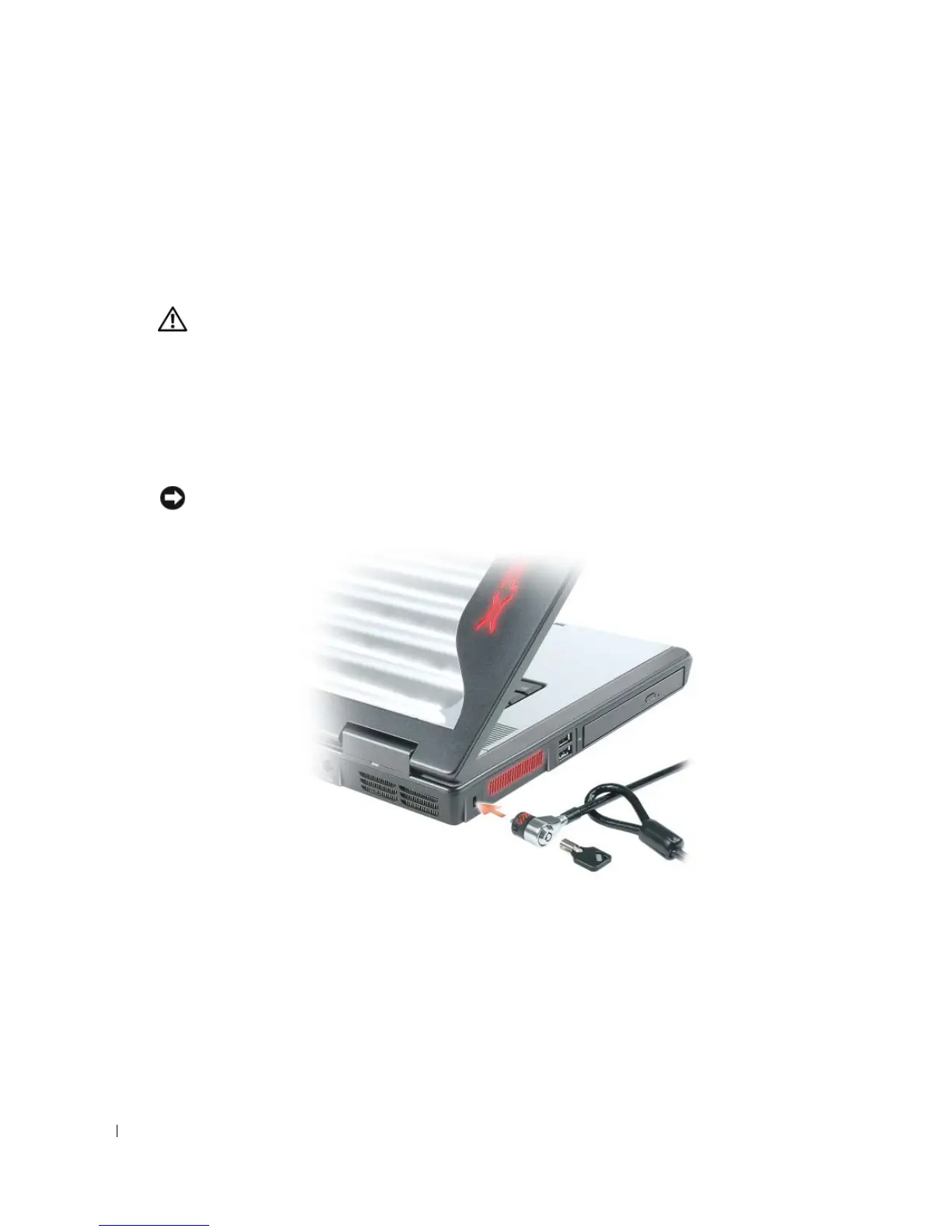
SECURITY CABLE SLOT — Lets you attach a commercially available antitheft device to the computer.
For more information, see the instructions included with the device.
NOTICE: Before you buy an antitheft device, ensure that it will work with the security cable slot.



 To Next Page