34 Using a Battery
www.dell.com | support.dell.com
3
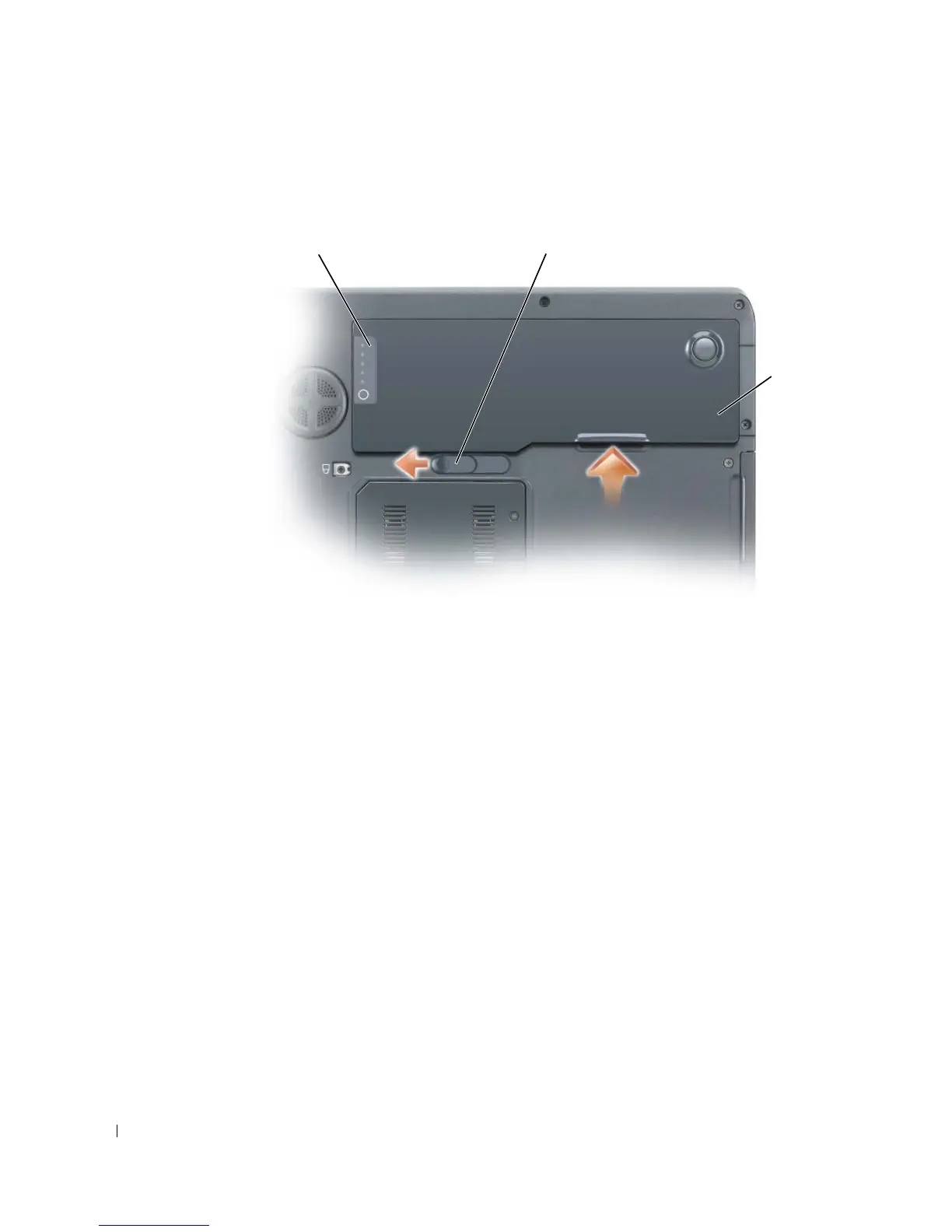
Slide and hold the battery-bay latch release on the bottom of the computer, and then remove
the battery from the bay.
Installing a Battery
1
Slide the battery lengthwise into the bay at a 45-degree angle.
2
Press the other side down until the latch release clicks.
Storing a Battery
Remove the battery when you store your computer for an extended period of time. A battery
discharges during prolonged storage. After a long storage period, recharge the battery fully
before you use it.
battery
battery charge gauge battery-bay latch release



 To Next Page