20 A Tour of Your Computer
www.dell.com | support.dell.com
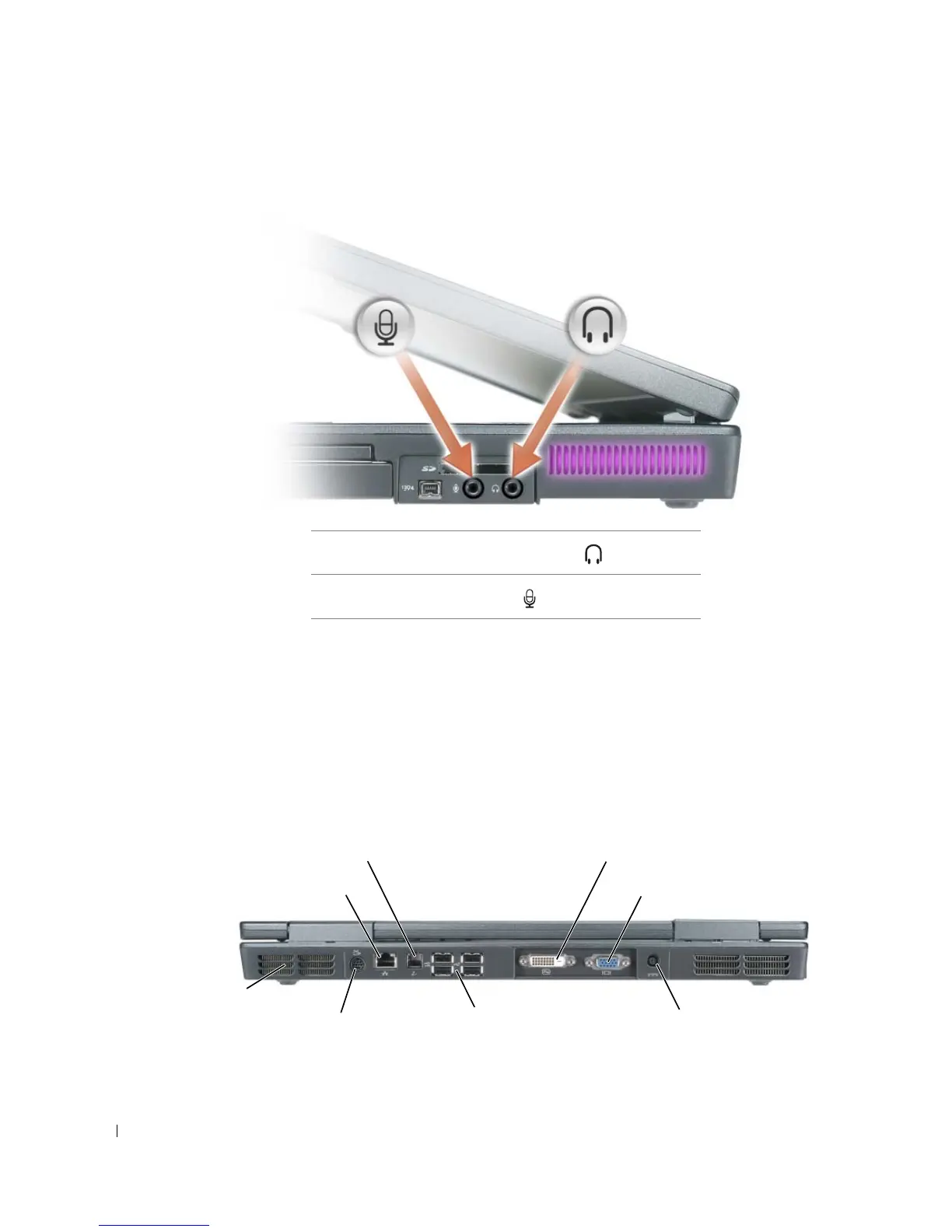
AUDIO CONNECTORS
IEEE 1394 CONNECTOR — Connects devices supporting IEEE 1394 high-speed transfer rates, such as
some digital video cameras.
HARD DRIVE — Stores software and data.
PC C
ARD SLOT — Supports one PC Card, such as a modem or network adapter. The computer ships with
a plastic blank installed in the slot. For more information, see the Dell Help file. To access the help file, see
page 9.
Back View
Attach headphones or speakers to the connector.
Attach a microphone to the connector.
video connectornetwork connector (RJ-45)
AC adapter connectorUSB connectors (4)
modem connector (RJ-11)
S-video TV-out connector
DVI-D connector
air vents (2)



 To Next Page