Adding and Replacing Parts 91
4
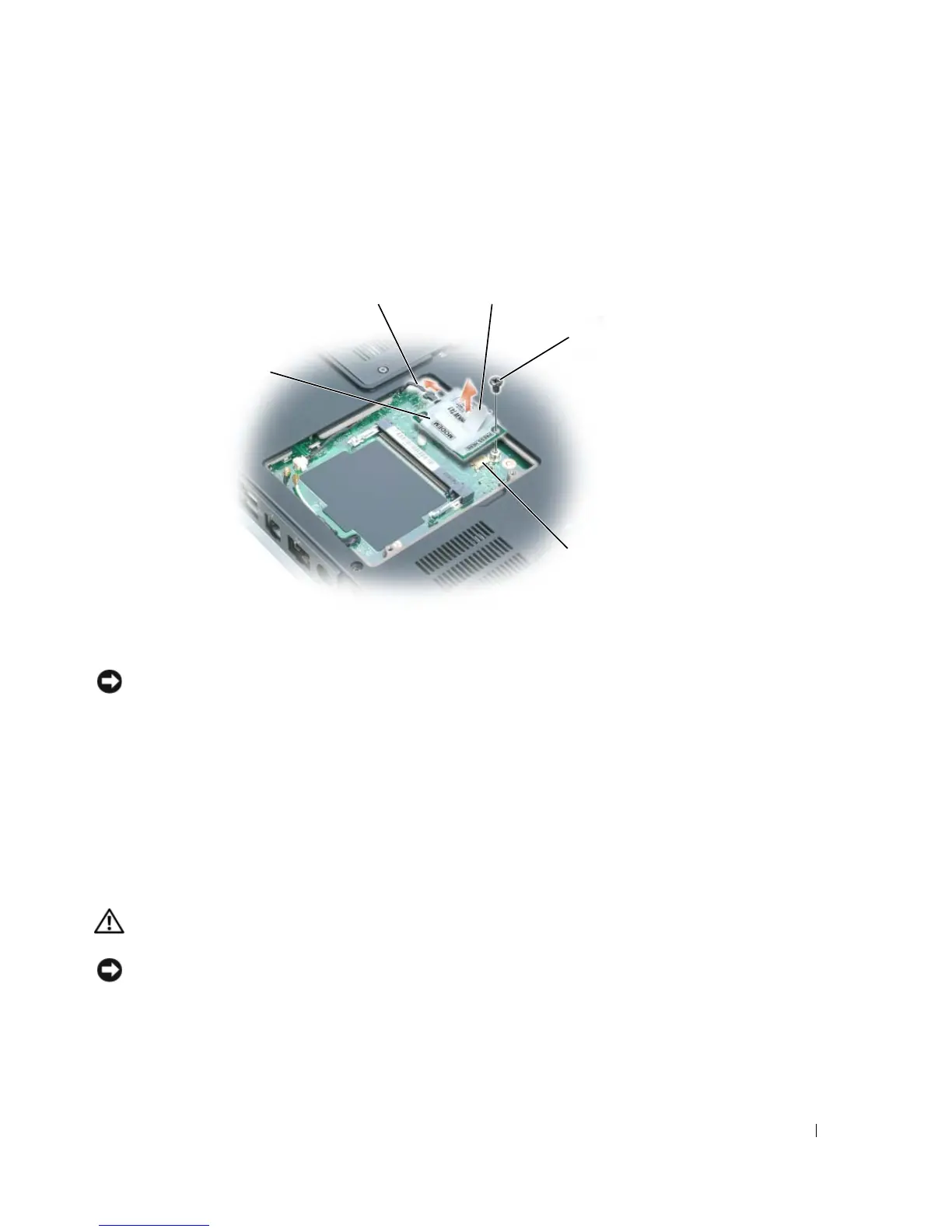
Remove the existing modem:
a
Remove the screw securing the modem to the system board, and set it aside.
b
Pull straight up on the attached pull-tab to lift the modem out of its connector on the
system board, and disconnect the modem cable.
5
Install the replacement modem:
a
Connect the modem cable to the modem.
NOTICE: The connectors are keyed to ensure correct insertion. If you feel resistance, check the
connectors and realign the card.
b
Align the modem with the screw holes and press the modem into the connector on the
system board.
c
Replace the screw that secures the modem to the system board.
6
Replace the modem cover.
Mini PCI Card
If you ordered a Mini PCI card with your computer, the card is already installed.
CAUTION: Before you begin any of the procedures in this section, follow the safety instructions in the
Product Information Guide.
NOTICE: To avoid electrostatic discharge, ground yourself by using a wrist grounding strap or by
periodically touching an unpainted metal surface (such as a connector on the back of the computer).
modem
system board
connector
pull-tab
screw
modem cable



 To Next Page