92 Adding and Replacing Parts
www.dell.com | support.dell.com
NOTICE: To avoid damaging the system board, you must remove the main battery before you begin
working inside the computer.
1
Follow the procedures in "Before You Begin" on page 83.
2
Turn the computer over and loosen the captive screws from the modem cover.
3
Place your finger under the cover at the indentation and lift the cover open.
4
If a Mini PCI card is not already installed, go to step 5. If you are replacing a Mini PCI card,
remove the existing card:
a
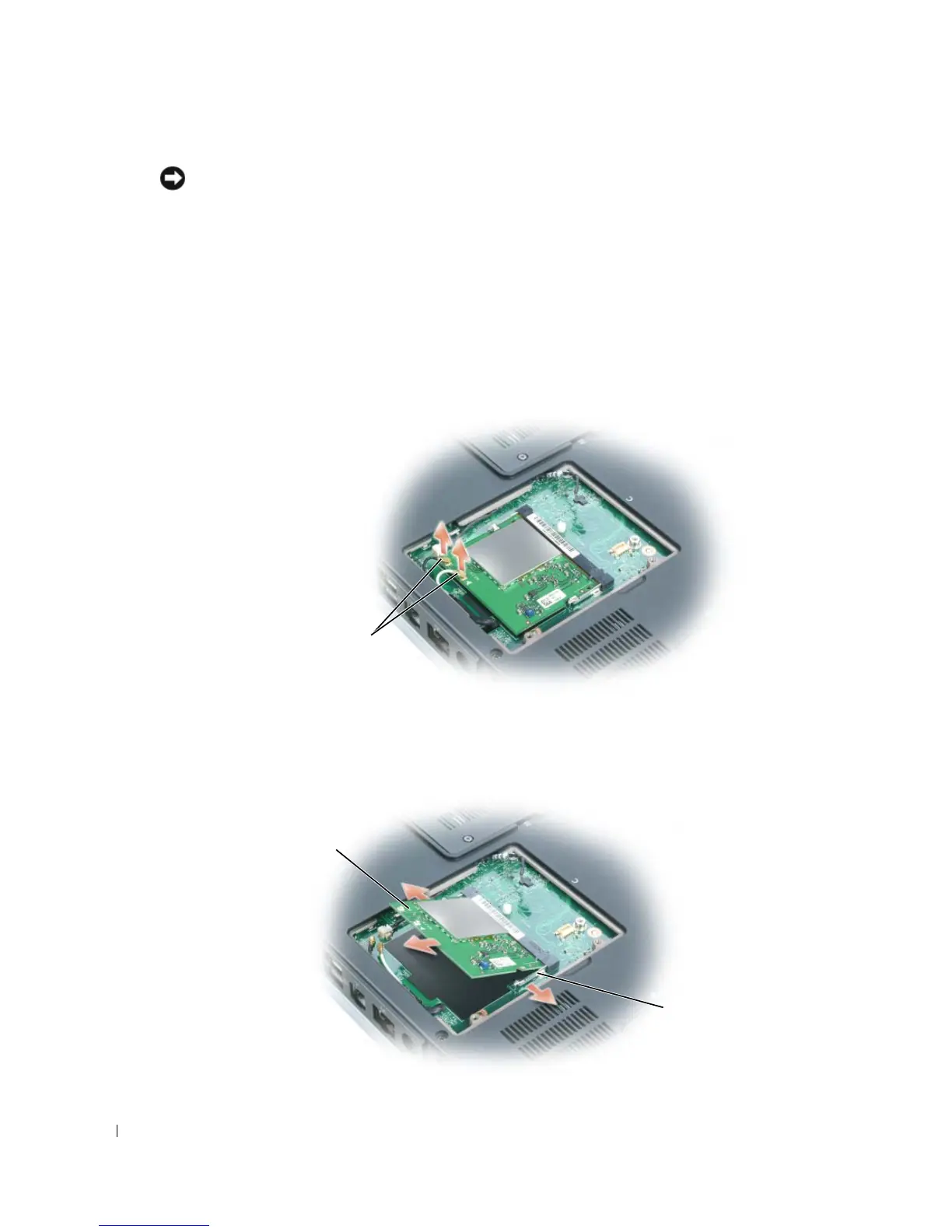
Disconnect the antenna cables from the Mini PCI card if a wireless card is installed in
your computer.
b
Release the Mini PCI card by spreading the metal securing tabs until the card pops up
slightly.
c
Lift the Mini PCI card out of its connector.
antenna cables
Mini PCI card
metal securing
tabs (2)



 To Next Page