Setting Up a Home and Office Network 57
Connecting to a Wireless Network in Microsoft
®
Windows
®
XP
Your wireless network card requires specific software and drivers in order to connect to a
network. The software is already installed. If the software is removed or corrupted, follow the
instructions included in the user's guide for your wireless network card. The user’s guide is
available on the Dell
™ Support website at support.dell.com.
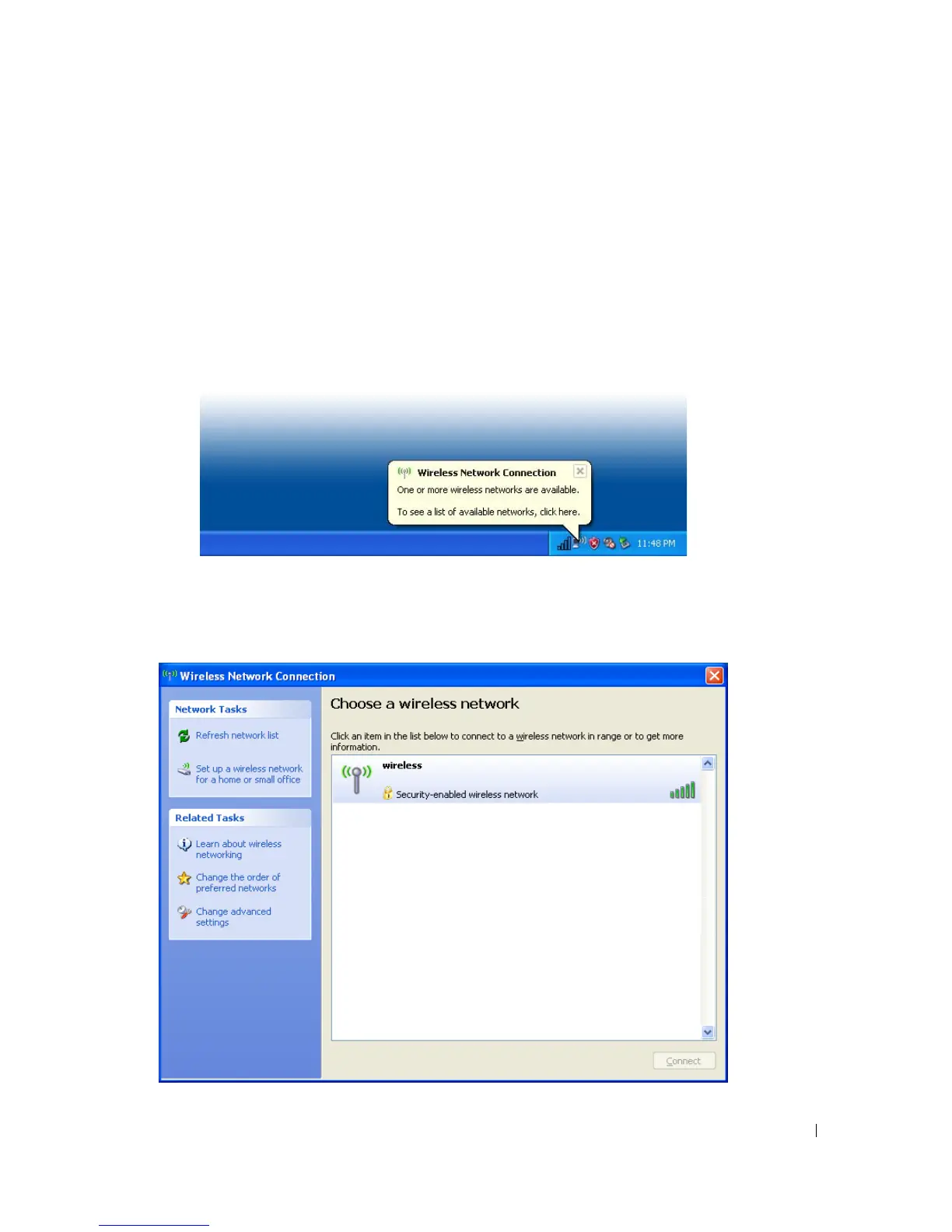
When you turn on your computer, a pop-up appears from the network icon in the notification
area (located in the lower-right corner of the Windows desktop) whenever a network is detected
in the area for which your computer is not configured.
1
Click either the pop-up or the network icon to configure your computer for one of the
available wireless networks.
The
Wireless Network Connections
window lists the wireless networks available in your area.



 To Next Page