88 Adding and Replacing Parts
www.dell.com | support.dell.com
3
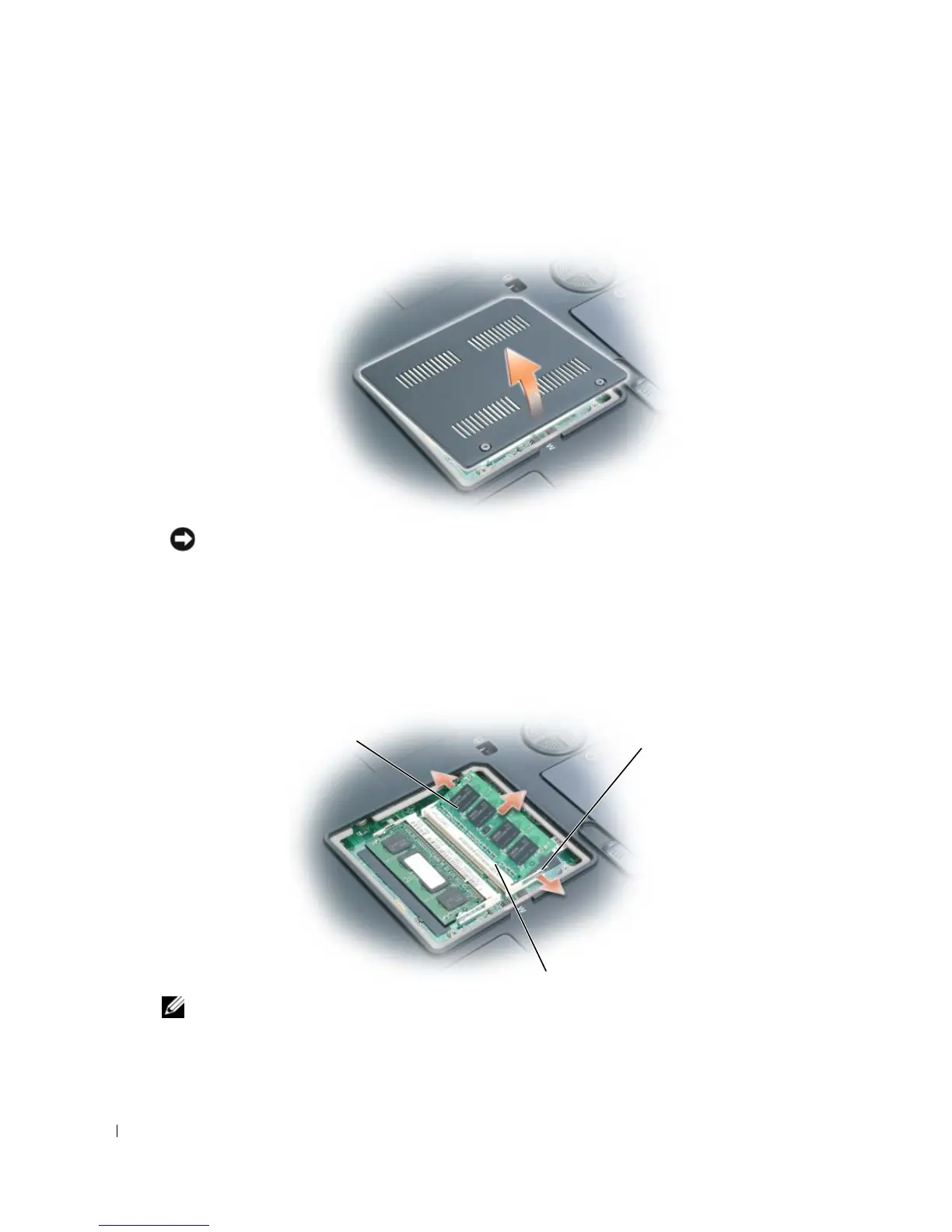
Turn the computer over, loosen the captive screws on the memory module cover, and then
remove the cover.
NOTICE: To prevent damage to the memory module connector, do not use tools to spread the memory-
module securing clips.
4
If you are replacing a memory module, remove the existing module:
a
Use your fingertips to carefully spread apart the securing clips on each end of the memory
module connector until the module pops up.
b
Remove the module from the connector.
NOTE: For best computer performance:
• Populate both memory module connectors.
• Use matched memory modules.
memory module
securing clips
(2 per connector)
notch



 To Next Page