Setting up the monitor | 35
Wall mounting (Optional)
NOTE: Use M4 x 10 mm screws to connect the monitor to the wall-
mounting kit.
RefertotheinstructionsthatcomewiththeVESA-compatiblewallmountingkit.
1. Placethemonitoronasoftclothorcushiononastableflattable.
2. Removethestand.
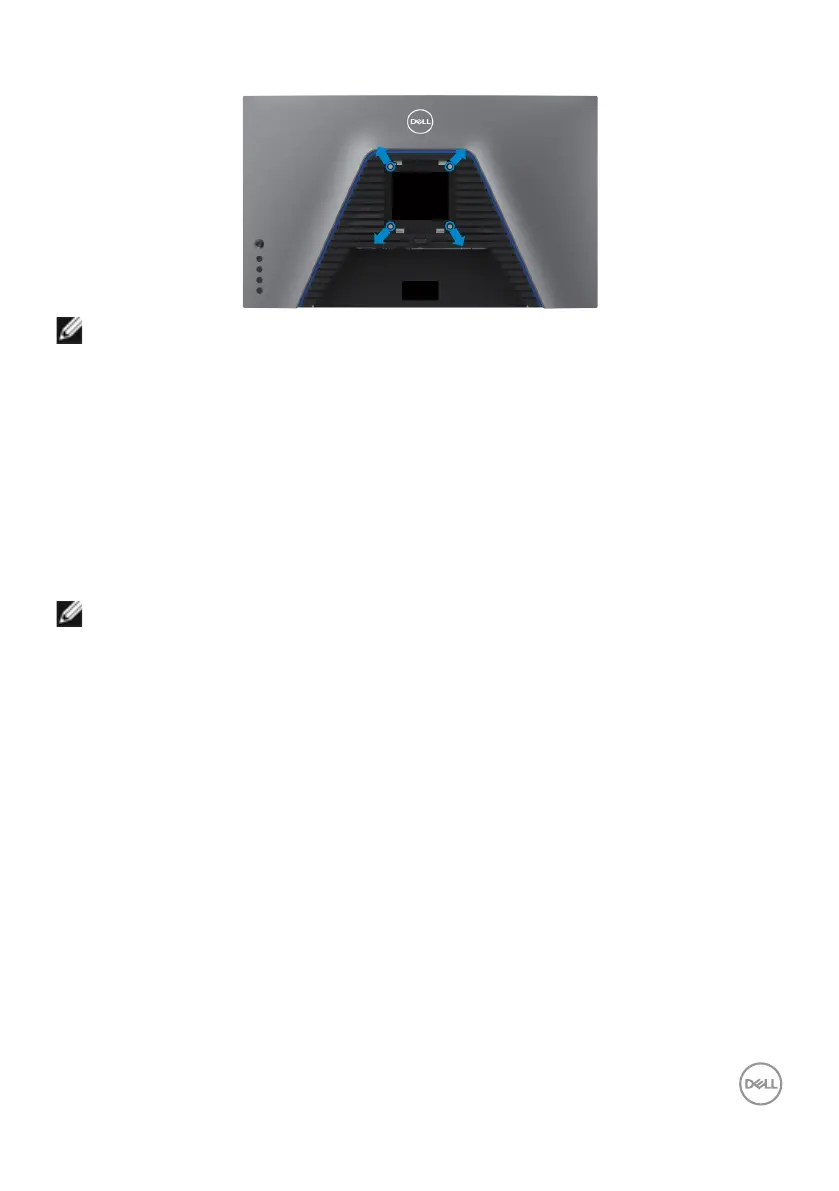
3. UseaPhillipscrossheadscrewdrivertoremovethefourscrewssecuringthe
plasticcover.
4. Attachthemountingbracketfromthewallmountingkittothemonitor.
5. Mountthemonitoronthewallasinstructedinthedocumentationthatshipped
withthewall-mountingkit.
NOTE: For use only with UL or CSA or GS-listed wall mount bracket with
minimum weight/load bearing capacity of 18 kg (39.7 lb).



 To Next Page