56 | Troubleshooting
Troubleshooting
WARNING: Before you begin any of the procedures in this section, follow
the Safety Instructions.
Self-test
Yourmonitorprovidesaself-testfeaturethatallowsyoutocheckwhetheryour
monitorisfunctioningproperly.Ifyourmonitorandcomputerareproperlyconnected
butthemonitorscreenremainsdark,runthemonitorself-testbyperformingthe
followingsteps:
1. Turnobothyourcomputerandthemonitor.
2. Unplugthevideocablefromthebackofthecomputer.ToensureproperSelf-Test
operation,removealldigitalandtheanalogcablesfromthebackofcomputer.
3. Turnonthemonitor.
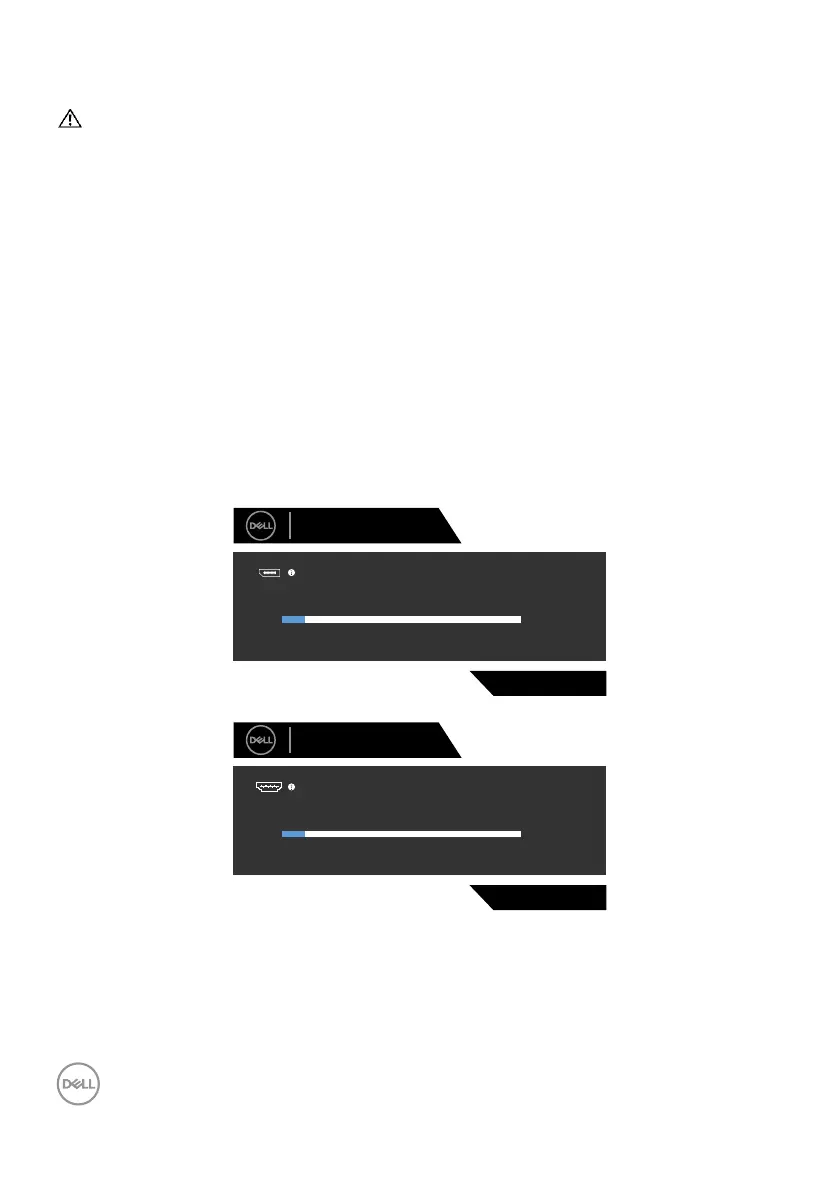
Thefloatingdialogboxshouldappearon-screen(againstablackbackground),ifthe
monitorcannotsenseavideosignalandisworkingcorrectly.Whileinself-testmode,
thepowerLEDremainswhite.Also,dependingupontheselectedinput,oneofthe
dialogsshownbelowwillcontinuouslyscrollthroughthescreen.
S2721DGF
The display will go into Power Save Mode in 4 minutes.
www.dell.com/support/S2721DGF
No DP Cable
Dell 27 Gaming Monitor
or
S2721DGF
The display will go into Power Save Mode in 4 minutes.
www.dell.com/support/S2721DGF
No HDMI 1 Cable
Dell 27 Gaming Monitor
1
or



 To Next Page