28 │ Setting up the monitor
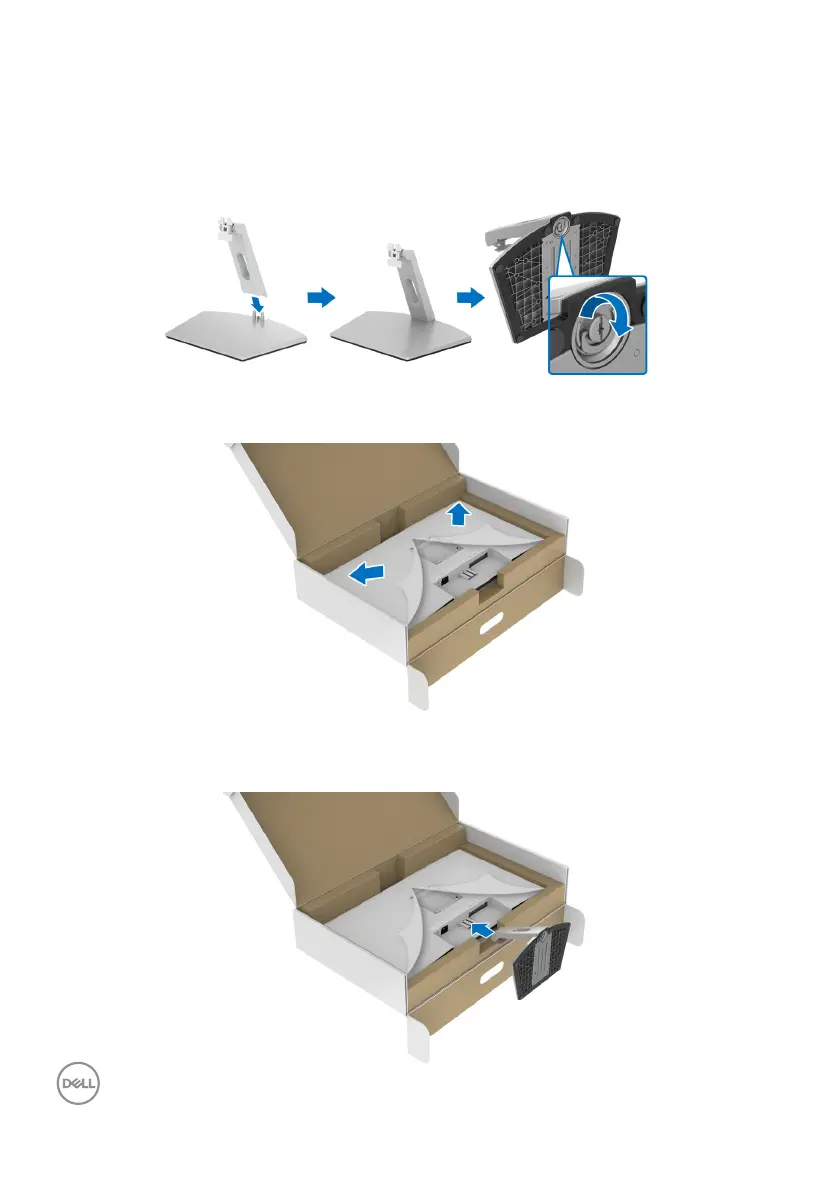
3. Align and place the stand riser on the stand base.
4. Open the screw handle at the bottom of the stand base and turn it clockwise
to secure the stand assembly.
5. C
lose the screw handle.
6. Open the protective cover to access the VESA slot on the display.
7. Align and insert the stand assembly bracket into the groove on the back of the
display until it locks in place.



 To Next Page