Setting up the monitor │ 39
VESA wall mounting (optional)
S2721D
S2721DS
(Screw dimension: M4 x 10 mm).
Read the instructions that shipped with the VESA-compatible wall mounting kit.
1. Pl
ace the display on a soft cloth or cushion on a stable flat table.
2. R
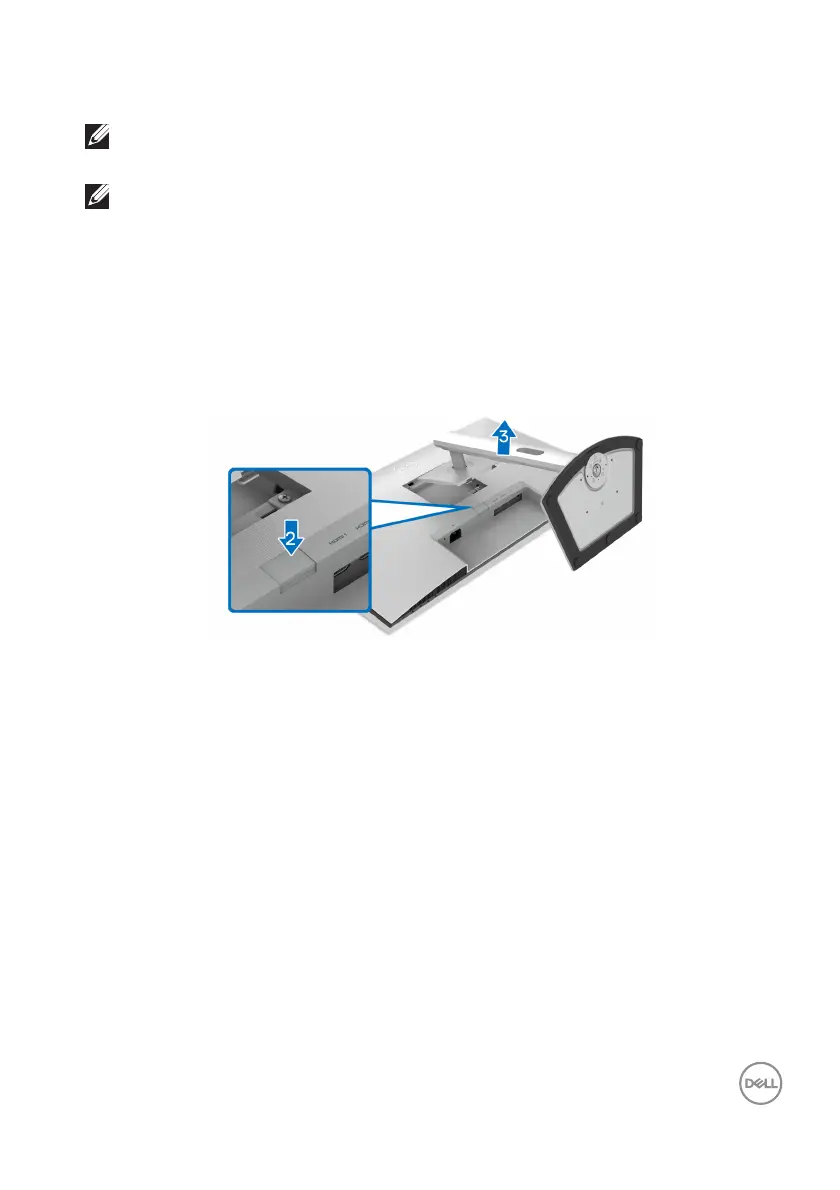
emove the monitor stand. (See Removing the monitor stand - S2721D and
Removing the monitor stand - S2
721DS)
3. Using
a Phillips screwdriver, remove the four screws that secure the display
back cover.
4. Inst
all the mounting bracket from the wall mounting kit to the display.
5. Moun
t the monitor on the wall. For more information, see the documentation
that shipped with the wall mounting kit.
NOTE: For use only with UL or CSA or GS-listed wall mount bracket
with minimum weight or load bearing capacity of 17.6 kg (S2721D/
S2721DS).



 To Next Page