34 │ Setting up the monitor
Removing the monitor stand
NOTE: To prevent scratches on the LCD screen when removing the
stand, ensure that the monitor is placed on a soft, clean surface.
NOTE: The following steps are specifically for removing the stand that
is shipped with your monitor. If you are removing a stand that you
purchased from any other source, follow the setup instructions that
were included with the stand.
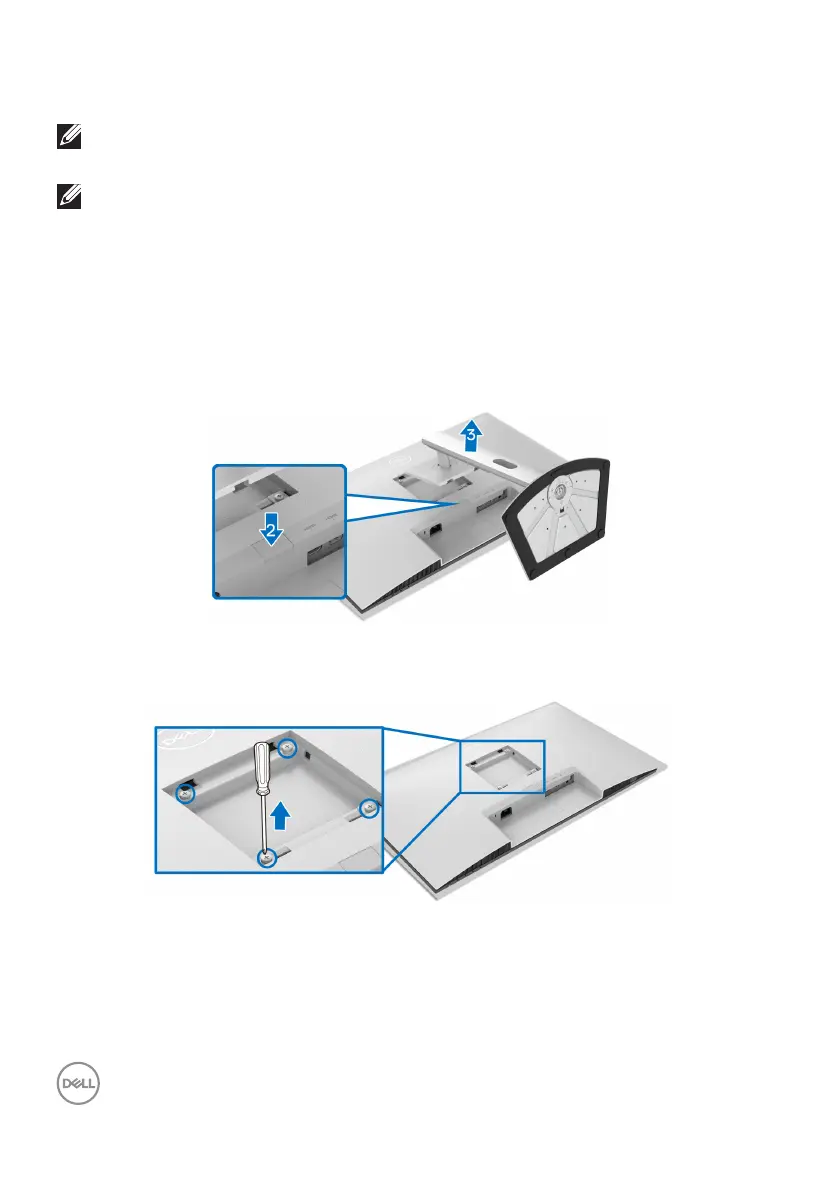
To remove the stand:
1. Pl
ace the monitor on a soft cloth or cushion.
2. Pr
ess and hold the stand release button at the back of the display.
3. L
ift the stand assembly up and away from the monitor.
VESA wall mounting (optional)
(Screw dimension: M4 x 10 mm).
Read the instructions that shipped with the VESA-compatible wall mounting kit.
1. Pl
ace the display on a soft cloth or cushion on a stable flat table.
2. R
emove the monitor stand (see Removing the monitor stand).



 To Next Page