56 │ Operating the monitor
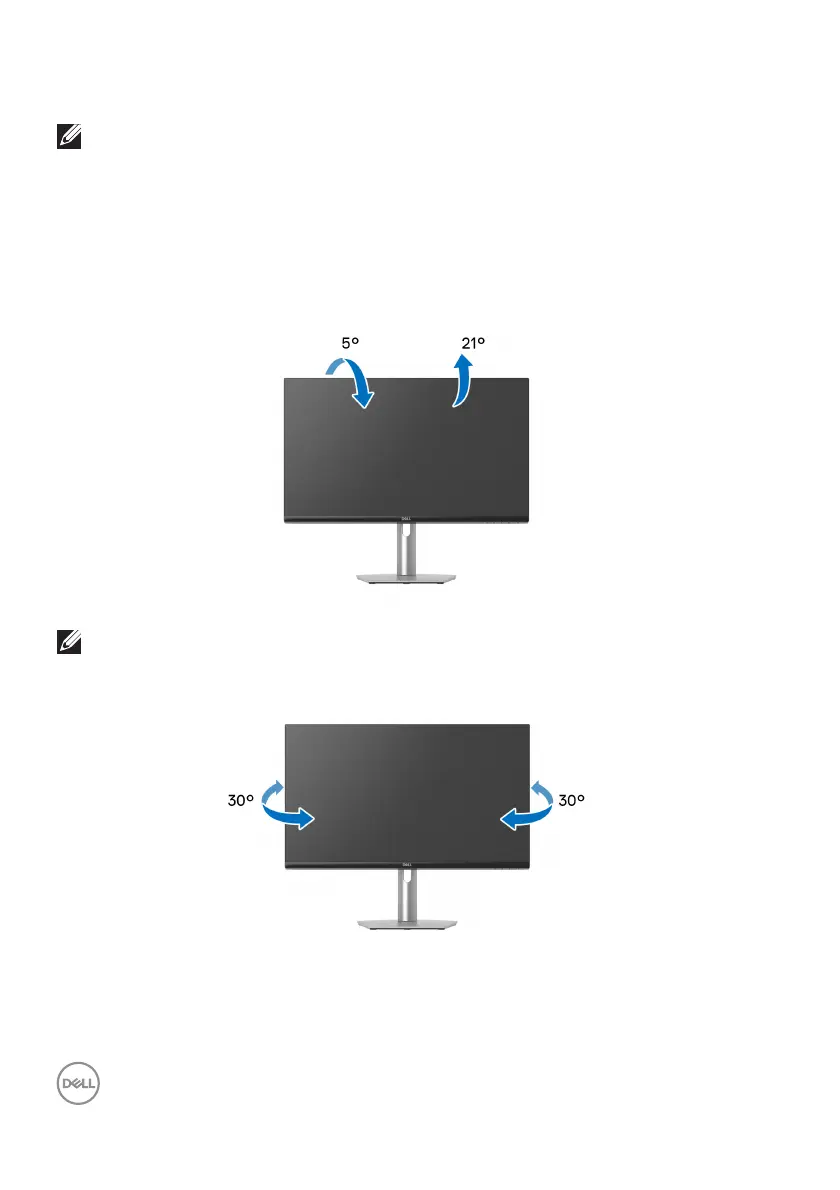
Using the tilt, swivel, and vertical extension
NOTE: The following instructions are applicable only for attaching the
stand that was shipped with your monitor. If you are attaching a stand
that you purchased from any other source, follow the setup
instructions that were included with the stand.
With the stand attached to the monitor, you can adjust the monitor for the most
co
mfortable viewing angle.
Til t
NOTE: The stand is not installed at the factory when shipped.
Swivel



 To Next Page