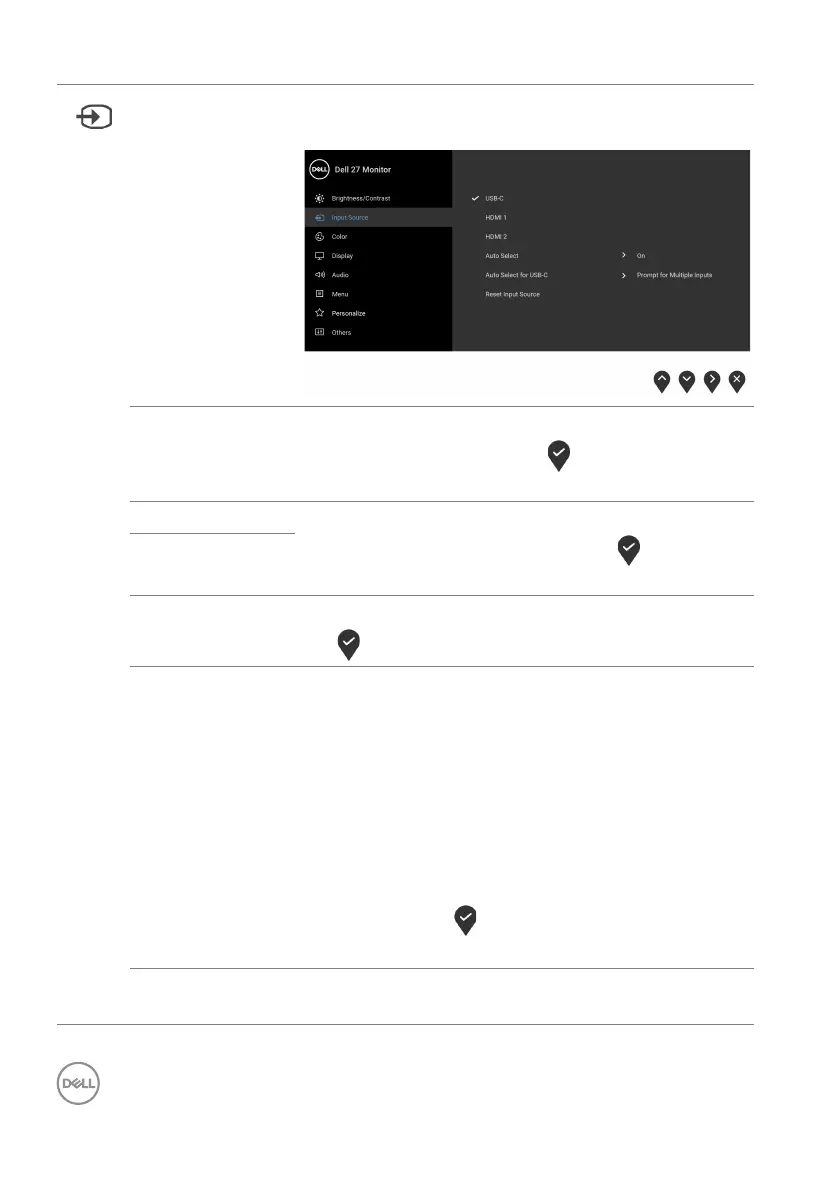
40 │ Operating the monitor
Input Source Selects between the different video signals that may
be connected to your monitor.
USB-C Select the USB-C input when you are using the USB
Type-C connector. Press the
button to confirm
the selection.
HDMI 1 Select the HDM
I 1 or HDMI 2 input when you are
using the HDMI connector. Press the
button to
confirm the selection.
HDMI 2
Auto Select Automatically scans for available input sources. Press
the
button to confirm the selection.
Auto Select for
USB-
C
Allows you to set Auto Select for USB-C to:
• Pr
ompt for Multiple Inputs: Always displays
the “Switch to USB-C Video Input” message
for you to choose whether to switch or not.
• Ye
s: Always switches to USB-C video input
(without asking) when the USB Type-C cable is
connected.
• No:
Never automatically switches to USB-C video
input when the USB Type-C cable is connected.
NOTE: Pr
ess the button to confirm the selection.
The option is available only when Au
to Select is on.
Reset Input
Sour
ce
Resets your monitor input settings to the factory
settings.



 To Next Page