Operating your monitor │ 35
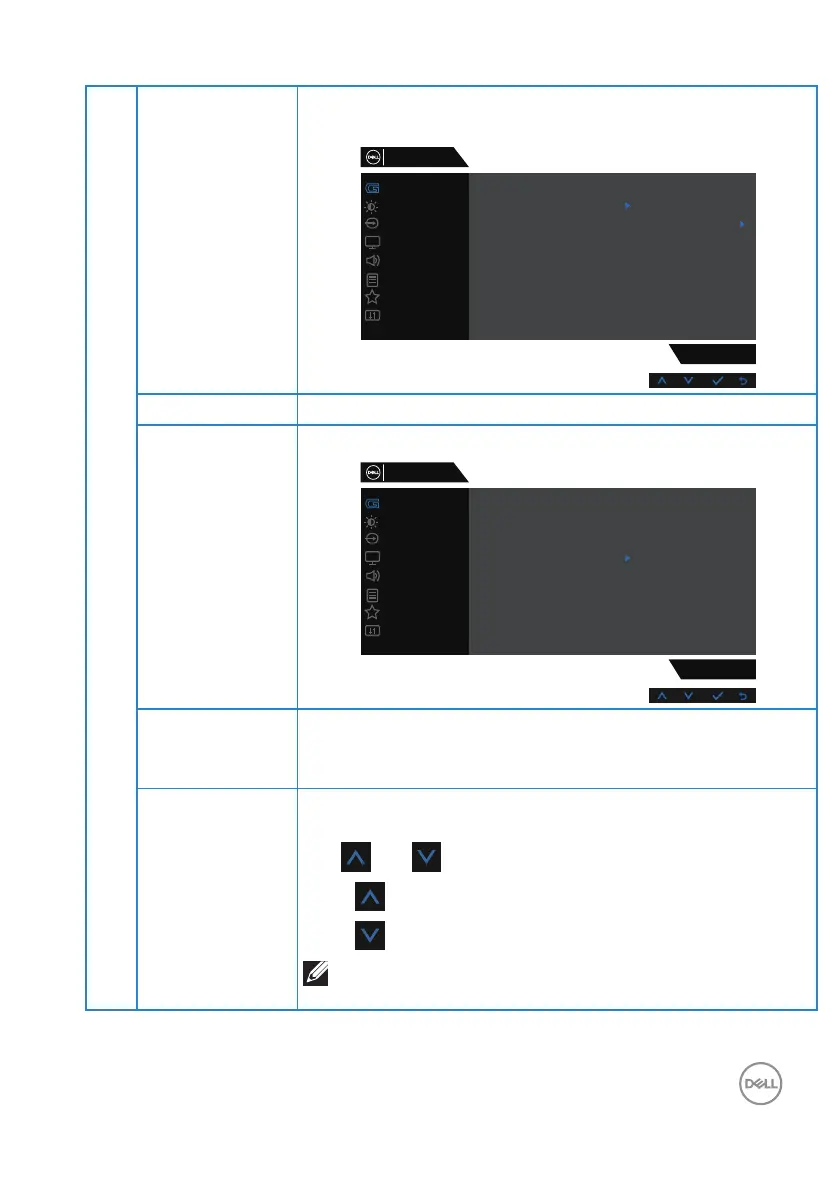
Game Enhance
Mode
Adjusts Game Enhance Mode to Off, Timer, Frame Rate or
Display Alignment.
Game
S3220DGF
Game Enhance Mode
FreeSync
Preset Modes
Response Time
Dark Stabilizer
Hue
Off
Timer
Frame Rate
Display Alignment
Saturation
Reset Game
Dell 32 Gaming Monitor
Input Source
Display
Others
Personalize
Menu
Audio
Brightness / Contrast
Freesync Allows you to set the Freesync On or Off.
Response Time User can select between Fast, Super Fast or Extreme.
Game
S3220DGF
Game Enhance Mode
FreeSync
Preset Modes
Response Time
Dark Stabilizer
Hue
Fast
Super Fast
Saturation
Reset Game
Extreme
Dell 32 Gaming Monitor
Input Source
Display
Others
Personalize
Menu
Audio
Brightness / Contrast
Dark Stabilizer The feature improves the visibility in the dark gaming
scenarios. The higher the value (between 0 to 3), the better
visibility in dark area of the display image.
Hue This feature can shift the color of the video image to green
or purple. This is used to adjust the desired flesh tone color.
Use and to adjust the hue from 0 to 100.
Press to increase the green shade of the video image.
Press to increase the purple shade of the video image.
NOTE: Hue adjustment is available only when you
select FPS, RTS, RPG, SPORTS mode.



 To Next Page