42 │ Operating your monitor
Others
Game
Input Source
Display
Others
Personalize
Menu
Audio
Brightness / Contrast
S3220DGF
DDC/CI
LCD Conditioning
Firmware
Display Info
Service Tag
On
Off
Reset Others
Factory Reset
33C104
G9DN4W2
ENERGY STAR
®
Dell 32 Gaming Monitor
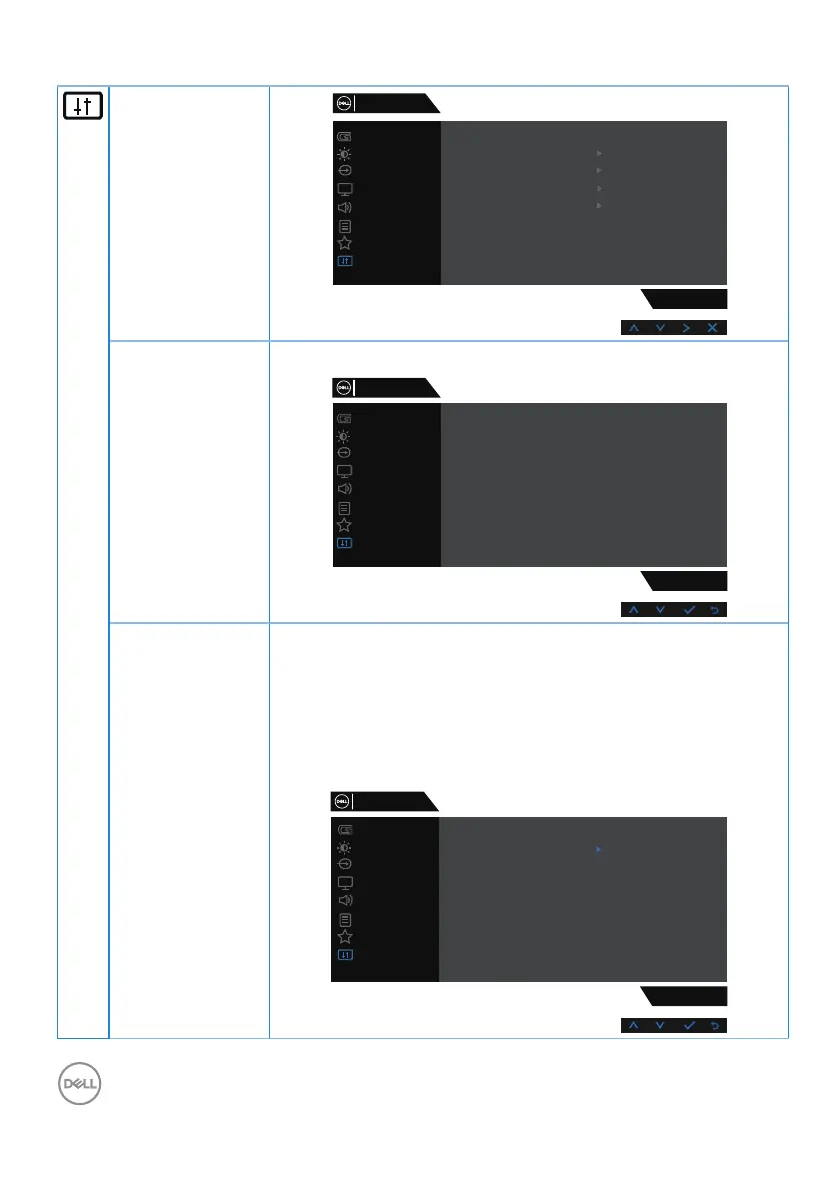
Display Info Press to display the information about the display.
Game
Input Source
Display
Others
Personalize
Menu
Audio
Brightness / Contrast
S3220DGF
DDC/CI
LCD Conditioning
Firmware
Display Info
Service Tag
Reset Others
Factory Reset
Model: S3220DGF
Input Source: HDMI 1
Current: 1920x1080, 60Hz
DP Capability: -
Dell 32 Gaming Monitor
HDMI: 2.0
Maximum: 2560x1440, 144Hz
DDC/CI DDC/CI (display data channel/command interface) allows
your monitor parameters (brightness, color balance and etc.)
to be adjustable via the software on your computer.
You can disable this feature by selecting disable.
Enable this feature for best user experience and optimum
performance of your monitor.
S3220DGF
DDC/CI
LCD Conditioning
Firmware
Display Info
Service Tag
On
Off
Reset Others
Factory Reset
Dell 32 Gaming Monitor
Game
Input Source
Display
Others
Personalize
Menu
Audio
Brightness / Contrast



 To Next Page