12 │ About your monitor
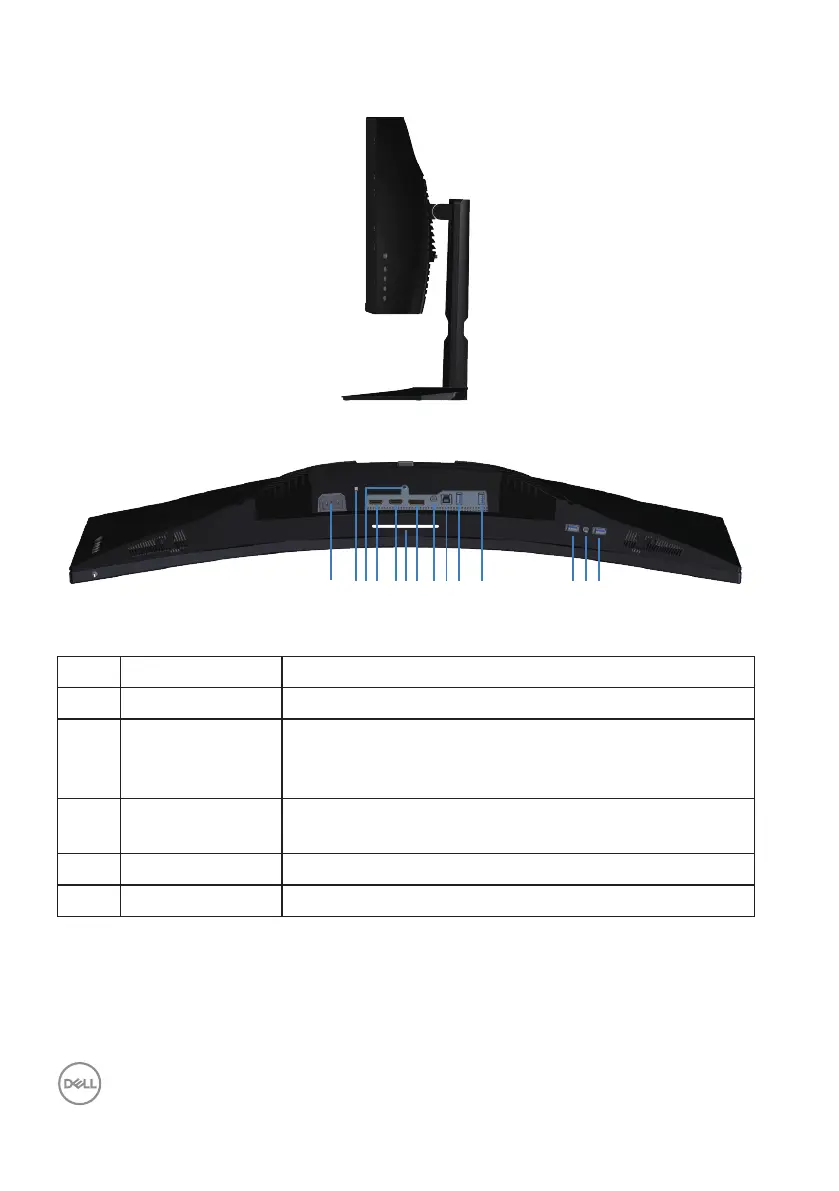
Side view
Bottom view
97
1
1154 1082 6
121314
3
Bottom view without monitor stand
Label Description Use
1 Power connector Connect the power cable (shipped with your monitor).
2 Security-lock slot Secure your monitor using a security lock (purchased
separately) to prevent unauthorized movement of your
monitor.
3 Stand lock
feature
Lock the stand to the monitor using a M3 x 6 mm
screw (screw not included).
4 HDMI 1 2.0 port Connect to your computer using a HDMI cable.
5 HDMI 2 2.0 port Connect to your computer using a HDMI cable.



 To Next Page