12 | About your monitor
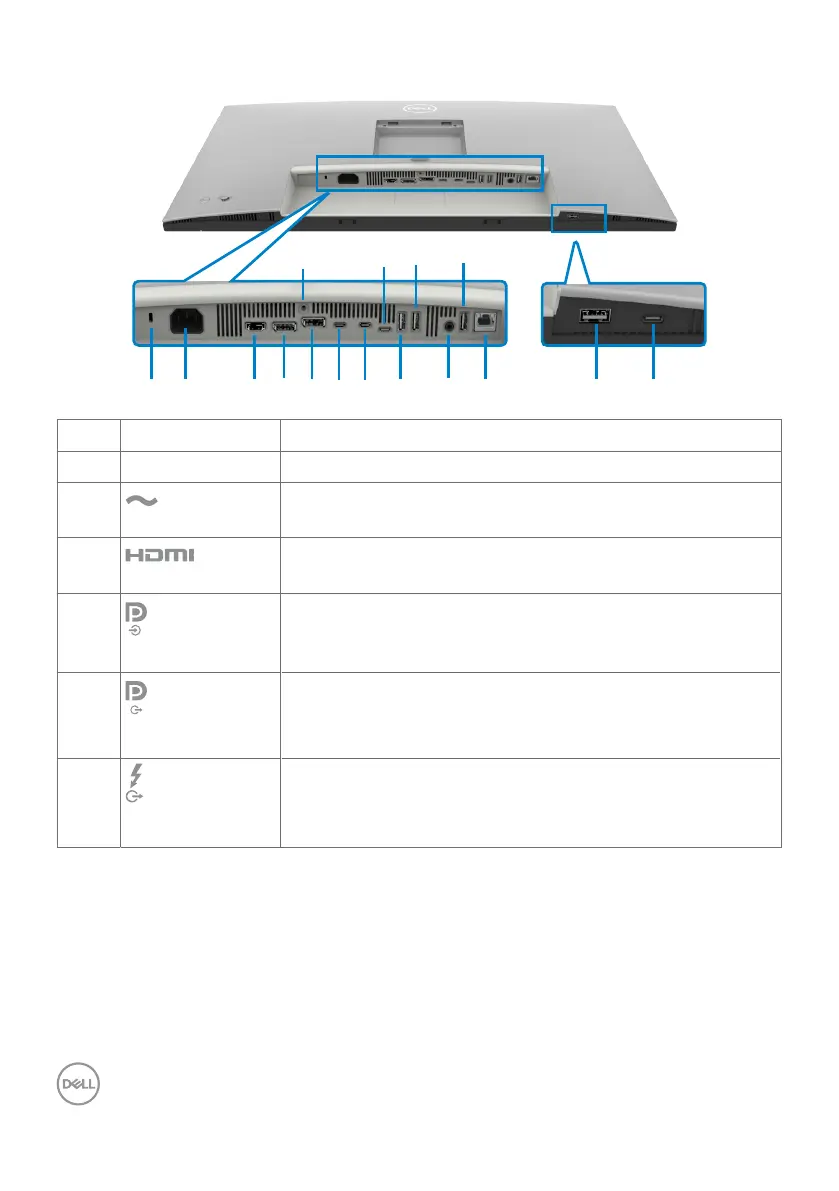
Bottom view
8
10
12
16
Label Description Use
1 Security lock slot Secures monitor with security cable lock (sold separately).
2
Power connector
Connect the power cable.
3
HDMI port
Connect your computer with the HDMI cable.
4
DisplayPort (in)
Connect your computer with the DisplayPort cable.
5
DisplayPort (out)
DP output for MST (Multi-Stream Transport) capable
monitor. To enable MST, refer to instruction on section
Connecting the monitor for DP MST function.
6
Thunderbolt
TM
4
downstream
Thunderbolt
TM
4
downstream port only suitable for video
output under Daisy chain, Connecting the monitor for TBT
daisy chain.



 To Next Page