88 | Operating the monitor
Setting the Auto KVM
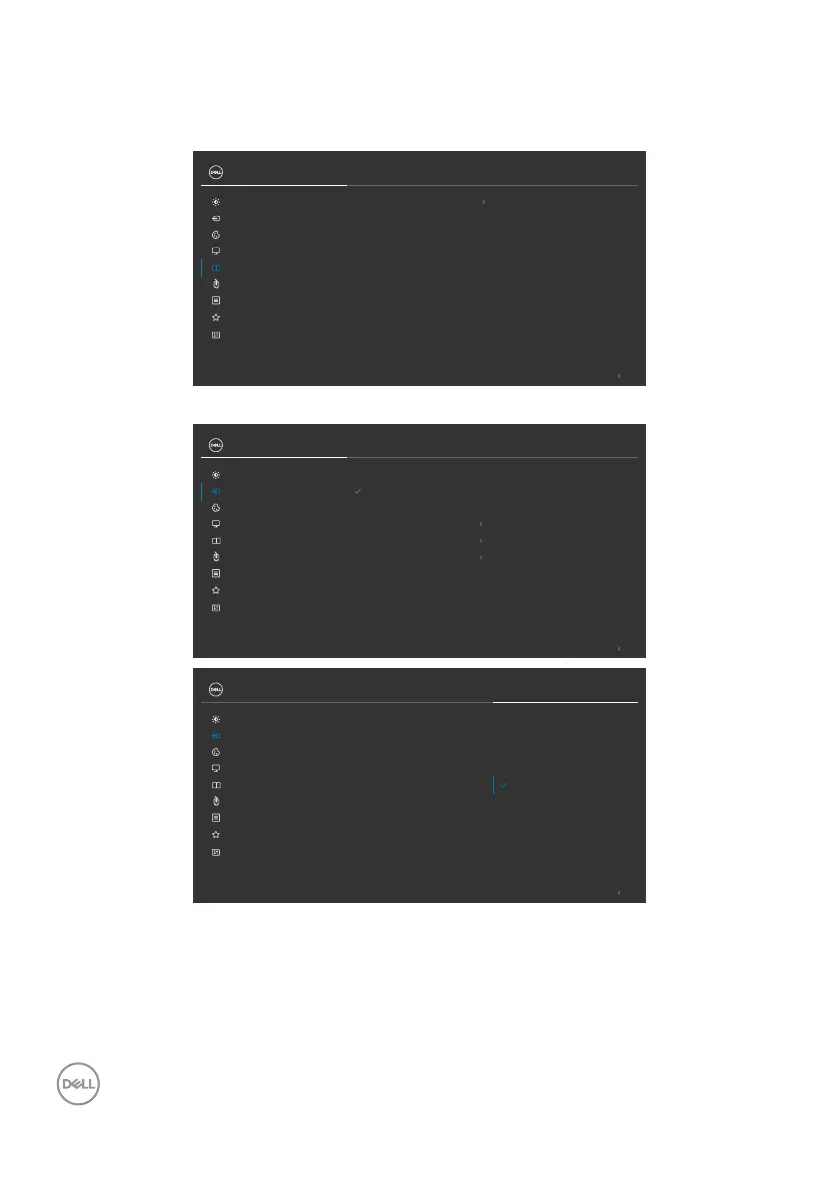
You can follow below instruction to set up Auto KVM for your monitor:
1. Ensure that PBP Mode is Off.
Exit
PIP/PBP
Personalize
Others
PIP/PBP Mode O
Menu
Input Source
Display
Color
Brightness/Contrast
USB
UltraSharp 27 Monitor
2. Ensure that Auto Select is On and Auto Select for Thunderbolt is Yes.
Exit
Input Source
Display
HDMI
Thunderbolt (90W)
Reset Input Source
DP
OnAuto Select
Thunderbolt (90W)
Rename Inputs
Prompt for Multiple Inputs
Auto Select for Thunderbolt
Color
Brightness/Contrast
PIP/PBP
Personalize
Others
Menu
USB
UltraSharp 27 Monitor
Exit
Input Source
Display
DP
HDMI
Auto Select
Reset Input Source
Rename Inputs
Thunderbolt (90W)
Color
Brightness/Contrast
PIP/PBP
Personalize
Others
Menu
USB
UltraSharp 27 Monitor
Prompt for Multiple Inputs
Yes
No
Auto Select for Thunderbolt



 To Next Page