84 | Operating the monitor
OSD Settings to be Synchronized
• Brightness
• Contrast
• Preset Modes
• Color Temperature
• Custom Color (RGB-Gain)
• Hue (Movie, Game mode)
• Saturation (Movie, Game mode)
• Response Time
• Sharpness
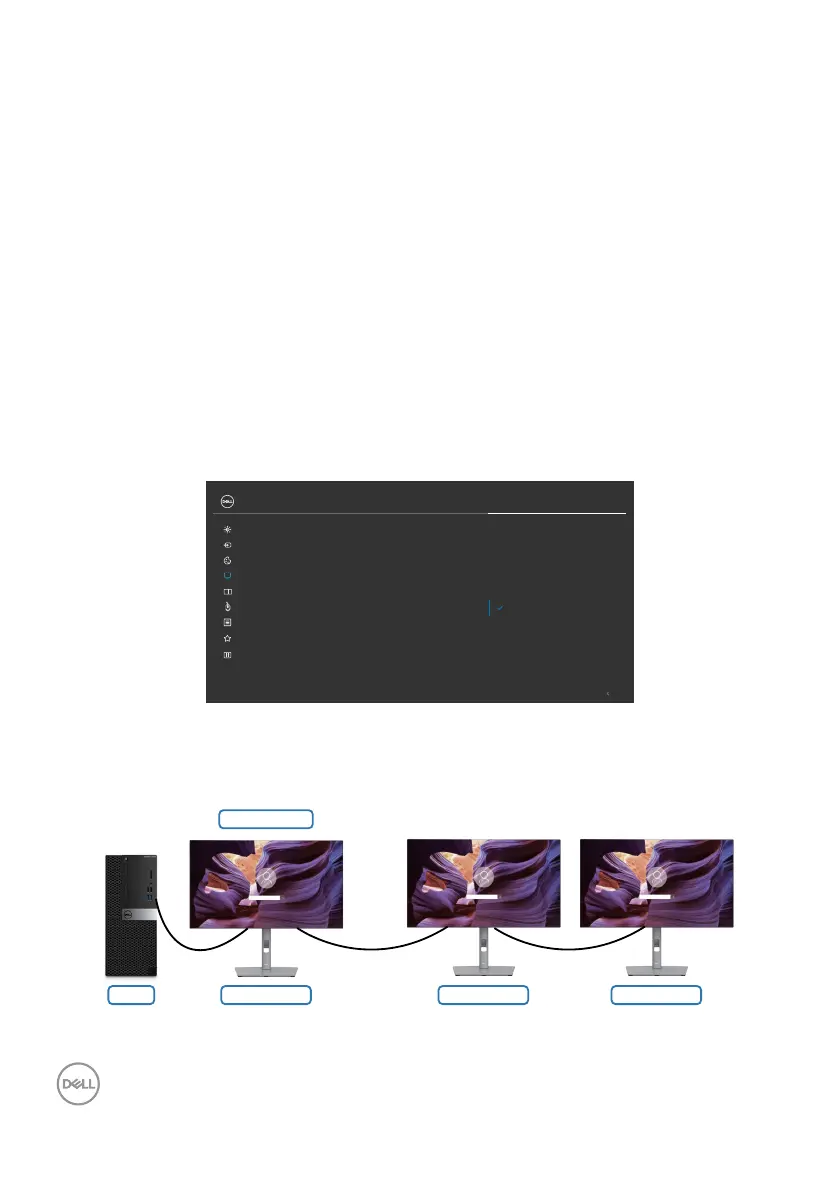
Setting Multi-Monitor Sync (MMS)
During initial power on or connection of new monitor, user setting synchronization
starts only if MMS is On. All monitor should synchronize settings from Monitor 1.
Exit
O
On
Color
Display
Brightness/Contrast
Input Source
UltraSharp 27 Monitor
Sharpness
Response Time
Aspect Ratio
MST
Multi-Monitor Sync
Reset Display
PIP/PBP
Personalize
Others
Menu
USB
USB-C Prioritization
Dell Power Button Sync
After first synchronization, subsequent syncing is driven by changes to the predefined
group of OSD settings from any node in the chain. Any node may initiate the changes
downstream and upstream.
Monitor 2 Monitor 3Monitor 1
MMS (On)
PC



 To Next Page